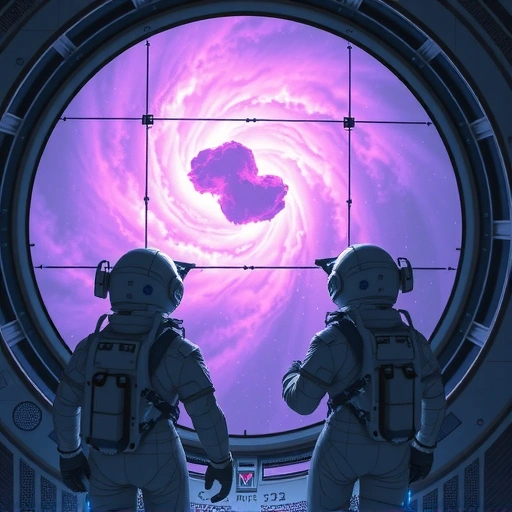
What is Midjourney V7?
Midjourney is a leading AI tool for creating images from text descriptions. Midjourney V7 is the latest version. It is known for its ability to create detailed and often artistic pictures based on simple text prompts. Users create stunning visuals simply by describing what they want to see.
Why Add Motion to Your AI Art?
Static images are great, but adding movement opens up new possibilities. An animated image can tell a story, evoke emotion, or simply grab attention in a way a picture cannot. Think about social media, presentations, or even short films. Turning your art into video makes it more engaging.
Ready to make your Midjourney workflow smoother? The
How AI Video Tools Work with Midjourney Art
Tools like KlingAI are designed to take an image and add motion. The exact process varies by tool, but here is a general idea of how it works:
Create your image using Midjourney V7. Make sure the image has elements that would look good with movement.
Create your image using Midjourney V7. Make sure the image has elements that would look good with movement.
Download or export your finished Midjourney image.
Download or export your finished Midjourney image.
Upload the image into the AI video generation tool (like KlingAI).
Upload the image into the AI video generation tool (like KlingAI).
Often, you will add a text prompt or select options to guide the type of motion you want. Do you want the camera to pan? Do you want elements in the image to move or transform?
Often, you will add a text prompt or select options to guide the type of motion you want. Do you want the camera to pan? Do you want elements in the image to move or transform?
The AI tool processes the image and your instructions to generate a short video clip.
The AI tool processes the image and your instructions to generate a short video clip.
It is like giving the AI a picture and saying, “Make this picture move like this.”
Tips for Blending Midjourney and Video AI
Getting good results often takes some trial and error. Here are a few tips:
Choose images that have a clear subject and background. Images with too many complex details or a messy composition can be harder for the AI to animate clearly.
Choose images that have a clear subject and background. Images with too many complex details or a messy composition can be harder for the AI to animate clearly.
Experiment with different prompt styles in the video tool. Describe the motion you envision clearly. For example, “Make the water ripple,” or “Pan slowly across the landscape.”
Experiment with different prompt styles in the video tool. Describe the motion you envision clearly. For example, “Make the water ripple,” or “Pan slowly across the landscape.”
Start with simple movements. Complex camera work or simultaneous motions of many objects might be challenging for the AI at first.
Start with simple movements. Complex camera work or simultaneous motions of many objects might be challenging for the AI at first.
Remember that results can vary. AI video is still a developing field. Not every generation will be perfect.
Remember that results can vary. AI video is still a developing field. Not every generation will be perfect.
Managing multiple images and prompts between Midjourney and other tools can be time-consuming. Speed up your process with the
Conclusion
Combining Midjourney V7’s image generation power with AI video tools like KlingAI opens up exciting new ways to create. You are no longer limited to static pictures. You can bring your AI art to life with motion and video. It is a powerful way to make your creations more dynamic and engaging. Start experimenting today and see what moving art you can make!
Do This Locally with Logen
Skip the subscription. Generate images like these on your own GPU — private, unlimited, no cloud dependency.
Midjourney vs Logen
| Feature | Midjourney | Logen |
|---|---|---|
| Cost | $10-60/mo | Free |
| Privacy | Cloud (images stored) | 100% local |
| Generations | Limited by plan | Unlimited |
| Internet Required | Always | No |
| Custom Models | No | Yes (any ComfyUI model) |
| GPU Required | No (cloud) | Yes (local) |
| Ease of Use | Discord bot | Desktop app |