Focus on the Positive: Tell the AI What You Want
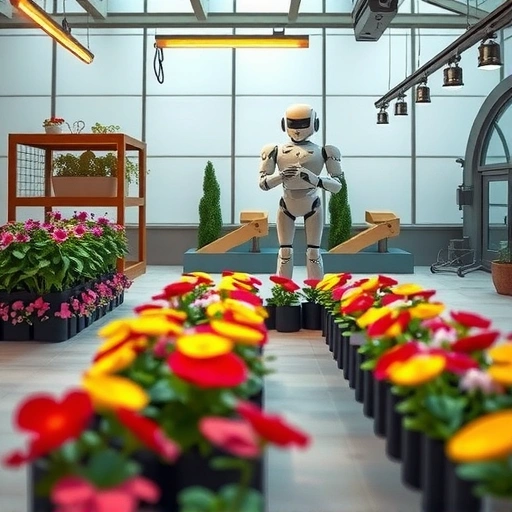
Instead of telling the AI what *not* to include, focus on what you *do* want. For example, instead of “a farm with no dogs,” try “a farm with cows, pigs, and various animals.” This helps the AI focus on the elements you desire, leading to more accurate and satisfying results. If you still need to exclude something, use a negative prompt like “–no dogs” at the end of your prompt. However, start with positive prompts for better results.</P]
Prioritize Your Keywords: Place Importance First
The order of your words matters. AI art platforms tend to prioritize words at the beginning of your prompt. If you want a massive bull to be the focus, start with “massive evil bull on a nice farm.” If the farm is more important, switch it to “a nice farm with a massive evil bull.” This simple change can significantly alter the image’s composition and emphasis.</P]
Define Color and Lighting: Set the Mood
Take control of your image’s atmosphere by specifying colors and lighting. Use terms like “pastel colors,” “neon colors,” or specific colors like “blue and green color palette.” For lighting, try “low contrast,” “high contrast,” “dark low lighting,” “very sunny lighting,” or “golden hour lighting.” These details can dramatically impact the final result, allowing you to create the perfect mood and tone.</P]
Word Weight and Multi-Prompts: Fine-Tune Your Vision
Midjourney allows you to assign weights to different words in your prompt, influencing their importance. Use the syntax “word::number” to adjust the weight. A higher number gives the word more priority. For instance, “bull::3, farm::1” emphasizes the bull over the farm. You can also use multi-prompts with double colons to separate distinct concepts. For example, “outside hot:: dog” will generate an image of a dog, rather than a hotdog stand.</P]
Expand Your Visual Vocabulary: Learn About Art and Photography
The more you know about art and photography, the better you can describe what you want to see. Studying art styles, composition techniques, and lighting principles will give you a richer vocabulary to communicate with AI art platforms. Consider taking a course to improve your skills and knowledge.
Keep Prompts Concise: Less is Often More
Long, convoluted prompts can confuse the AI. Instead, focus on the most important aspects of your image and keep your prompts short and dense. For example, instead of “create an artwork of a small monkey in the stall of modern video game built on Unreal Engine,” try “Unreal Engine 3D render of a monkey, forest, sunny sky, high contrast, earthy tones.” This streamlined prompt is easier to adjust and yields more consistent results. Use Midjourney’s `/shorten` command to identify and remove unnecessary words from your prompts.</P]
Define Distinct Styles: Explore Artistic Avenues
Specify the art style you want to emulate. Try “watercolor painting,” “ink dripping drawing,” “DSLR photo,” or “Sci-Fi Blockbuster movie screen cap.” You can also experiment with different anime styles or even ice sculptures. The possibilities are endless. Check out style guides and resources to discover new and exciting artistic directions.</P]
Harness the Power of Artists: Emulate the Masters
Use artists’ names to guide the AI toward specific styles. For example, “in the style of H.R. Giger” or “in the style of Picasso.” You can even combine artists for unique results, such as “the combined styles of H.R. Giger and Leonardo da Vinci.” This technique allows you to tap into established aesthetics and create truly distinctive images. Remember to research artists that meet the style you are trying to create.</P]
Seek Inspiration: Learn from Others’ Prompts
Explore other people’s prompts to discover new techniques and phrasings. Websites like TitanXT and social media platforms are great sources of inspiration. On Midjourney, browse the explore page to find images that catch your eye and examine their prompts. Pay attention to the words and phrases used, and adapt them to your own creations. You can also use the explore page to see what other styles and types of art you like.</P]
Permutations: Deconstruct and Experiment
Take an existing prompt and break it down into shorter phrases using permutations. This allows you to see the impact of each phrase on the final image. In Midjourney, use curly brackets to define permutations, like “{antique photography, in the 1900s, Dark Fantasy}.” The AI will generate separate images for each phrase, helping you identify the most effective elements for your desired outcome.</P]
Control Perspective: Angle and Framing are Key
Specify the angle and framing of your image to control its perspective. Use terms like “high angle,” “low angle,” “landscape shot,” “closeup shot,” or “side angle.” These details can dramatically alter the composition and create a more dynamic and engaging image. For example, a low angle shot can make your subject look more powerful and imposing.</P]
Iterate and Remix: Embrace the Creative Process
Don’t settle for the first result. Reroll and remix your images to refine your vision. On Midjourney’s website, use the rerun button to generate new variations of your prompt. To make subtle alterations, click the prompt, modify it, and resubmit. In Discord, turn on remix mode in the settings to edit the prompt each time you reroll. This iterative process allows you to fine-tune your images and achieve the perfect result.</P]
Describe the Mood: Evoke Emotion
Use mood descriptors to influence the overall feel of your image. Try words like “depressing,” “excited,” “gloomy,” “quiet,” “loud,” “powerful,” “serene,” or “vibrant.” These terms can dramatically alter the colors, composition, and overall atmosphere of your image, allowing you to evoke specific emotions and tell compelling stories.</P]
Use Prompt Formulas: Streamline Your Workflow
Employ prompt formulas to streamline your creative process. A simple formula could be “art style of a subject in a locational scene, mood.” For example, “3D render of a gray alien in a spaceship, gloomy and spooky.” By filling in the blanks, you can quickly generate a variety of images and experiment with different combinations. These simple formulas are great when you are first learning and getting acquainted with the styles you are looking for.</P]
Final Thoughts
By following these prompt engineering tips, you can unlock your creative potential and generate stunning AI art. Remember to experiment, iterate, and have fun! The more you practice, the better you’ll become at communicating your vision to the AI and bringing your imagination to life.
Do This Locally with Logen
Skip the subscription. Generate images like these on your own GPU — private, unlimited, no cloud dependency.
Midjourney vs Logen
| Feature | Midjourney | Logen |
|---|---|---|
| Cost | $10-60/mo | Free & Pro plans |
| Privacy | Cloud (images stored) | 100% local |
| Generations | Limited by plan | Unlimited |
| Internet Required | Always | No |
| Custom Models | No | Yes (any ComfyUI model) |
| GPU Required | No (cloud) | Yes (local) |
| Ease of Use | Discord bot | Desktop app |