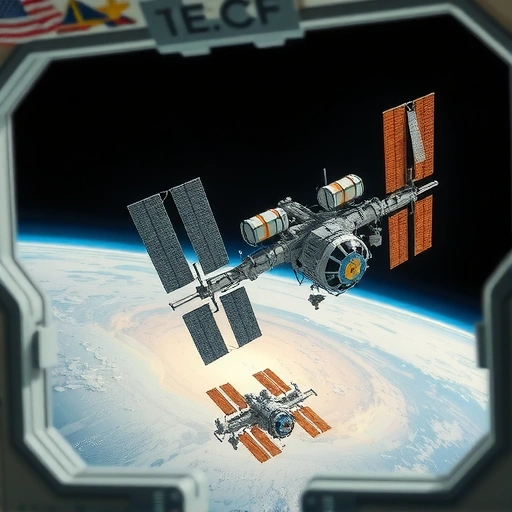
Discovering Blue Willow: Your Free Midjourney Alternative
Tired of subscription fees? Blue Willow offers a fantastic way to generate AI images for free. To get started, simply join their Discord server. You can find the link in the description below. Once you’re in, you can start creating your own unique artwork.
Finding Inspiration with Playground AI
Playground AI is a great resource for finding inspiration and prompts. Here’s how to use it:
- Visit Playground AI.
- Search for images similar to what you want to create. For example, you can look for “Elon Musk” or “vehicles.”
- Copy the prompt used to generate an image that catches your eye.
While Playground AI can be inconsistent, it’s valuable because users often share their prompts. This gives you a starting point for your own creations.
Creating Images with Blue Willow
Now that you have a prompt, let’s use Blue Willow to bring it to life:
- In the Blue Willow Discord server, choose one of the available channels.
- Type “/imagine” followed by your prompt.
- Customize the prompt to fit your vision. For example, you can replace elements in the original prompt with your own ideas.
- Be patient! Blue Willow will generate several images based on your prompt.
For example, you could take a prompt from Playground AI and modify it to feature Iron Man in a fantasy setting. Experiment with different keywords and styles to achieve your desired result.Automate your workflow and create even more stunning visuals! Visit TitanXT to learn more.
Example: From Prompt to Image
Let’s say you find an image on Playground AI with the prompt “cute edible Tom and Jerry.” You can adapt this prompt in Blue Willow to create something unique. By changing the prompt to include “Iron Man baby,” you can see what kind of creative interpretations the AI generates.
Even if the results aren’t exactly what you imagined, they can still be inspiring. You can then use the variation options (V1, V2, V3, V4) to refine the image or upscale the image (U1, U2, U3, U4) if you like the overall result.
Tips for Success
- Don’t be afraid to experiment with different prompts and keywords.
- Use Playground AI to find prompts that work well for others.
- Refine your prompts based on the initial results you get from Blue Willow.
- Check out what other users are creating in the Blue Willow Discord server for inspiration.Visit TitanXT today!
Conclusion
Blue Willow provides a free and accessible way to explore the world of AI art generation. By combining it with the inspiration and prompts found on Playground AI, you can create unique and captivating images without spending a dime.Boost your productivity and create stunning visuals faster than ever before. Visit TitanXT to get started.
Do This Locally with Logen
Skip the subscription. Generate images like these on your own GPU — private, unlimited, no cloud dependency.
Midjourney vs Logen
| Feature | Midjourney | Logen |
|---|---|---|
| Cost | $10-60/mo | Free & Pro plans |
| Privacy | Cloud (images stored) | 100% local |
| Generations | Limited by plan | Unlimited |
| Internet Required | Always | No |
| Custom Models | No | Yes (any ComfyUI model) |
| GPU Required | No (cloud) | Yes (local) |
| Ease of Use | Discord bot | Desktop app |