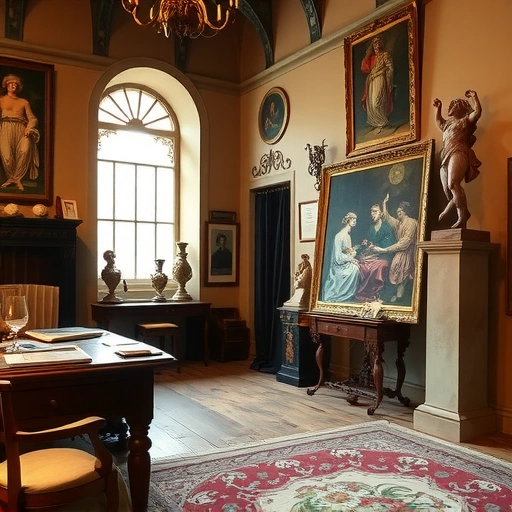
Getting Started with Midjourney V7
To make the most of V7, you need to personalize the model. This involves creating a profile based on your preferred aesthetic. Here’s how:
Personalizing Your V7 Model
Creating a profile in V7 is similar to V6.1, but with a twist. You’re required to select at least 200 images that resonate with your style. Here’s how:
Go to create a personalized profile.
Go to create a personalized profile.
Choose images you like. If you don’t like two, you can skip them.
Choose images you like. If you don’t like two, you can skip them.
Select at least 200 images.
Select at least 200 images.
Setting Up V7 in Midjourney
After creating your profile, adjust your settings to use V7:
Go to the settings.
Go to the settings.
Select version 7.
Select version 7.
Choose standard mode.
Choose standard mode.
Now, you’re all set to generate images with Midjourney V7!
Exploring Draft Mode
One of the coolest features of V7 is draft mode. It allows you to generate images using voice commands. Here’s how to use it:
Select begin and click the start voice mode icon.
Select begin and click the start voice mode icon.
Speak your prompt clearly. For example, “A portrait of a cat.”
Speak your prompt clearly. For example, “A portrait of a cat.”
The model will generate images based on your voice input.
The model will generate images based on your voice input.
To stop, click the voice mode icon again.
To stop, click the voice mode icon again.
This feature is super fun and intuitive, making image generation even more accessible.
Want to get more out of Midjourney? Check out the
V7 vs. V6.1: A Detailed Comparison
To truly appreciate the advancements in V7, let’s compare it with V6.1 using the same prompt. The results are striking, with V7 delivering significantly more realistic and detailed images, even with high stylization settings.
To compare effectively, ensure draft mode is off and use the same settings as your previous V6.1 generations. The difference in quality is immediately noticeable.
Realism and Personalization
Even without personalization, V7 produces incredibly realistic images. However, using a personalized profile lets you inject your unique style into the generations. Experiment with both to see what works best for you.
Experience the Full Potential of Midjourney
Don’t let manual tasks slow you down. Discover how the
Final Thoughts
Midjourney V7 is a significant leap forward in AI image generation. The enhanced realism, combined with innovative features like draft mode, makes it a must-try for anyone interested in AI art. Personalize your model, experiment with voice commands, and unleash your creativity!
Ready to take your Midjourney experience to the next level? Explore the
Do This Locally with Logen
Skip the subscription. Generate images like these on your own GPU — private, unlimited, no cloud dependency.
Midjourney vs Logen
| Feature | Midjourney | Logen |
|---|---|---|
| Cost | $10-60/mo | Free |
| Privacy | Cloud (images stored) | 100% local |
| Generations | Limited by plan | Unlimited |
| Internet Required | Always | No |
| Custom Models | No | Yes (any ComfyUI model) |
| GPU Required | No (cloud) | Yes (local) |
| Ease of Use | Discord bot | Desktop app |