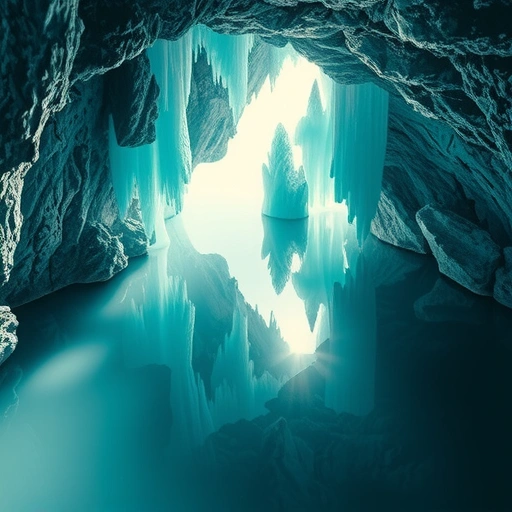
Understanding the Cinematic Prompt Template
The core idea is a flexible template prompt that you fill in. This template helps Midjourney understand the mood and style you want, leading to more predictable and impressive results.
The template looks something like this:
“cinematic still of a [Subject] [Preposition] a [Background and Environment], cinematic film style by [Film Style]”
You replace the bracketed parts ([Subject], [Preposition], [Background and Environment], [Film Style]) with your specific ideas.
Automating this process and managing your prompt components can save you a lot of time. If you create many images, consider trying the
Breaking Down the Components
Let’s look at each part you need to fill in.
Subject
Who or what is the main focus of your image? This could be a person, an object, or a creature.
Example: “a pirate”
Example: “a pirate”
Example: “a steampunk inventor”
Example: “a steampunk inventor”
Preposition
This word defines the relationship between your subject and the background. Think about where the subject is placed.
Examples: “on”, “in”, “around”, “below”, “above”
Examples: “on”, “in”, “around”, “below”, “above”
Example for pirate: “on”
Example for pirate: “on”
Example for inventor: “in”
Example for inventor: “in”
Background and Environment
Where is the scene taking place? Describe the setting.
Example for pirate: “a moonlit beach”
Example for pirate: “a moonlit beach”
Example for inventor: “a cozy library”
Example for inventor: “a cozy library”
Film Style
This is key to getting the cinematic look. Reference a specific movie and its director. Midjourney will draw inspiration from the film’s coloring, lighting, and overall mood. It can even sometimes pick up character elements.
Example for pirate: “The Revenant by Alejandro G. Iñárritu”
Example for pirate: “The Revenant by Alejandro G. Iñárritu”
Example for inventor: “American Psycho by Mary Harron”
Example for inventor: “American Psycho by Mary Harron”
Example for comparison: “The Master by Paul Thomas Anderson”
Example for comparison: “The Master by Paul Thomas Anderson”
Parameters
After the main prompt, you can add parameters like the aspect ratio. A wide aspect ratio often enhances the cinematic feel.
Examples: `–ar 2:1`, `–ar 4:3`
Examples: `–ar 2:1`, `–ar 4:3`
Putting the Prompt Together
Combine the elements into the template. For example:
“cinematic still of a pirate on a moonlit beach, cinematic film style The Revenant by Alejandro G. Iñárritu –ar 2:1”
And another example:
“cinematic still of a steampunk inventor in a cozy library, cinematic film style American Psycho by Mary Harron –ar 4:3”
How Film Style Changes Everything
Choosing the right film style makes a big difference. Even small changes in style (like comparing images based on “American Psycho” versus “The Master”) can result in noticeably different lighting, mood, and even character details in the generated image.
The film style adds the specific visual language that makes your image look like a still from a movie.
Experiment and Refine
The best way to get the perfect cinematic image is to experiment. Try different subjects, backgrounds, and especially different film styles. See how the changes affect the final output. You can refine a prompt by changing just one element, like swapping the film style, to see the impact.
Conclusion
By using this template prompt, you can easily start creating cinematic photography in Midjourney with minimal effort. Focus on choosing strong elements for your Subject, Environment, and Film Style, then let Midjourney do the rest.
Simplify your Midjourney work and keep track of your best cinematic prompts and images. Check out the
Happy prompting!
Do This Locally with Logen
Skip the subscription. Generate images like these on your own GPU — private, unlimited, no cloud dependency.
Midjourney vs Logen
| Feature | Midjourney | Logen |
|---|---|---|
| Cost | $10-60/mo | Free |
| Privacy | Cloud (images stored) | 100% local |
| Generations | Limited by plan | Unlimited |
| Internet Required | Always | No |
| Custom Models | No | Yes (any ComfyUI model) |
| GPU Required | No (cloud) | Yes (local) |
| Ease of Use | Discord bot | Desktop app |