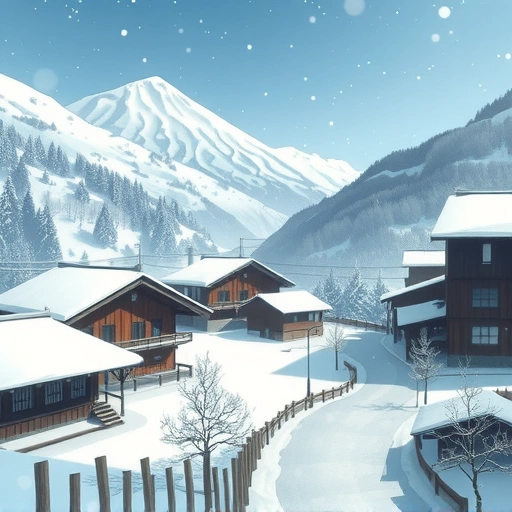
Comparing V6 and V7: Side-by-Side
We set up a simple test: 20 identical prompts run on both V6 and V7. We lined up the results to look at realism, how well it follows instructions, artistic styles, details, and any strange issues. Let’s start with realism and detail, using prompts designed to test how real the images can look.
Realism and Detail Tests
Prompt 1: A photorealistic close-up portrait of an elderly fisherman.
- V6 looked good with nice detail.
- V7 was a clear step up in realism. The skin texture had more detail, showing incredibly real wrinkles. The eyes looked wetter and had better reflections. The light felt softer and more natural in V7.
Prompt 2: A macro photograph of a dewdrop on a vibrant green leaf.
- V6 gave a nice macro feel with some reflection.
- V7 showed much clearer detail. The dewdrop was sharper, and the reflection inside was clearer. You could see finer details and texture on the leaf surface in V7. V6 was good, but V7 felt more like a true high-quality macro shot.
Prompt 3: A hyperrealistic bowl of ramen noodles.
- V6 looked tasty with steam.
- V7 took ‘hyperrealistic’ further. The broth had a more complex, oily look. Textures on the egg and pork had more detail. The steam in V7 seemed more naturally part of the image, not just placed on top. Even the bowl texture looked better in V7.
Prompt 4: Detailed photograph of a classic muscle car parked on wet asphalt.
- Both versions looked good.
- V7 handled the lighting and reflections much better. The reflections of neon lights on the wet ground and the car’s shiny surface were much clearer and more real in V7. The car paint looked shinier.
Prompt 5: An astronaut floating in space.
- V6 was dramatic with a nice Earth reflection.
- V7 showed a big jump in detail. The reflection of Earth in the visor was much sharper and more complex. Textures on the suit and small parts were created with higher quality. The background view felt richer in V7.
Testing Artistic Styles
How well do V6 and V7 capture specific art feelings? We tested styles like Impressionism, Studio Ghibli, and Cyberpunk anime.
Prompt 6: Impressionism: A bustling Parisian street scene in the style of impressionism.
- V6 had the feeling, maybe a bit like an illustration.
- V7 captured the texture of impressionism better. The brush strokes looked more separate and less blended than in V6. The way light was shown felt more like the style in the V7 image.
Prompt 7: Studio Ghibli style: A mystical forest landscape painted in the style of Studio Ghibli.
- Both captured the style, V6 felt cute and Ghibli-like.
- V7 got the soft, warm, slightly nostalgic lighting and feeling that defines Ghibli films. The V7 image felt more like a painting and closer to the feeling of the original movies.
Prompt 8: Cyberpunk: Cyberpunk cityscape illustration in a detailed anime style.
- V6 had a good cyberpunk feel with anime parts.
- V7 focused more on the anime part of the prompt. The lines looked cleaner, more like traditional animation line work, while still having the busy detail of cyberpunk. The way the V7 image was put together also felt more active.
Prompt 9: Dark fantasy comic: A medieval knight facing a dragon. Illustration in the style of a dark fantasy comic book cover.
… (The subtitles cut off here, but based on the previous comparisons, V7 likely shows improvements in line work, detail, or mood for this style too).
First Thoughts on Midjourney V7
From these first side-by-side comparisons, Midjourney V7 appears to offer noticeable improvements, especially in realism, detail, and the handling of light and texture. It seems to follow artistic style prompts with more accuracy in capturing the true feel of the style.
While V6 is still a very capable tool, V7 looks like a positive step forward. As V7 becomes more widely available and tested, we’ll see its full potential. For anyone serious about creating images with Midjourney, keeping up with these updates is key.
Do This Locally with Logen
Skip the subscription. Generate images like these on your own GPU — private, unlimited, no cloud dependency.
Midjourney vs Logen
| Feature | Midjourney | Logen |
|---|---|---|
| Cost | $10-60/mo | Free & Pro plans |
| Privacy | Cloud (images stored) | 100% local |
| Generations | Limited by plan | Unlimited |
| Internet Required | Always | No |
| Custom Models | No | Yes (any ComfyUI model) |
| GPU Required | No (cloud) | Yes (local) |
| Ease of Use | Discord bot | Desktop app |