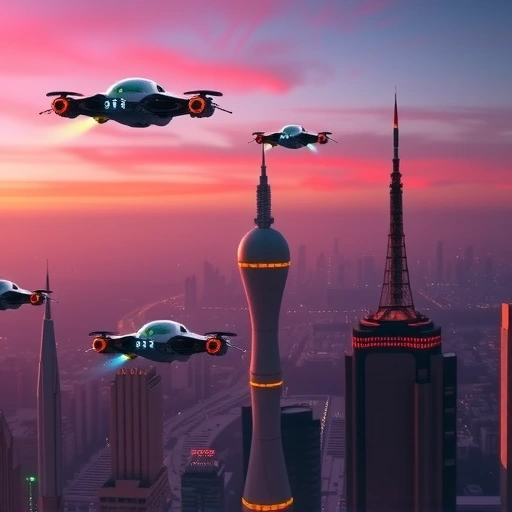
There is a free website called Promptnewshot.com. It can help you expand on your initial ideas for Midjourney prompts. It’s a straightforward tool that lets you start with an idea and then add various elements to refine the prompt before you use it in Midjourney.
How This Tool Helps Your Prompts
Instead of just typing your main idea, Promptnewshot.com shows you different categories you can add to your prompt. These help you control the look and feel of the final image. Let’s say you have an idea, like “a blue cyberpunk cat logo with a white background.” You start by typing that in.
Adding Detail to Your Ideas
Below your basic description, you’ll see options to add more details. You can pick:
Style: Choose from many different visual styles. You might pick something like “blocky” if you want a geometric look.
Style: Choose from many different visual styles. You might pick something like “blocky” if you want a geometric look.
Lighting: Select the mood with different lighting options, like “dusk.”
Lighting: Select the mood with different lighting options, like “dusk.”
Artists: Get inspiration from famous artists’ styles. You could choose an artist like Van Gogh or Banksy to influence the image.
Artists: Get inspiration from famous artists’ styles. You could choose an artist like Van Gogh or Banksy to influence the image.
Colors: Specify colors beyond your main description. You can pick shades and even set how much emphasis a color should have.
Colors: Specify colors beyond your main description. You can pick shades and even set how much emphasis a color should have.
And more options are available to explore.
And more options are available to explore.
Intensity and Structure
For some categories like style, you can often choose an “intensity” level. This tells Midjourney how strongly to apply that element. After you select options, the tool generates the full prompt text for you. It formats it correctly for Midjourney, adding the right tags and parameters you might not have thought of yourself.
Using Inspiration
The tool also lets you include other forms of inspiration. If you’ve already created a Midjourney image you like, you can use its “seed number” here. This can help Midjourney create variations based on that initial image’s structure or composition. You can also upload an image to use as visual inspiration for your new prompt. This gives you extra ways to guide the AI to the look you want.
Ready to take your Midjourney experience to the next level? While tools like Promptnewshot help with individual prompts, consider the
Putting It Together: An Example
Let’s go back to the “blue cyberpunk cat logo with a white background” idea. Using the tool, you might add “blocky” style with intensity 2, change the blue color intensity, pick “dusk” lighting, and choose an artist. The generated prompt will be much longer and more detailed than your starting point. You can then copy this full prompt and paste it into Midjourney.
When you run this prompt in Midjourney, the results will likely show the specific elements you chose – the distinct blocky style, the blue color with emphasis, and a touch of the cyberpunk feel. While the image might not be a perfect logo graphic without adding those specific words like “emblem” or “shield,” it gets much closer to the desired visual style than just a simple description would.
Why Use a Prompt Helper?
Using a free prompt helper tool like Promptnewshot.com helps you:
Go beyond basic descriptions.
Go beyond basic descriptions.
Discover prompt elements you didn’t know about (like “blocky” as a style).
Discover prompt elements you didn’t know about (like “blocky” as a style).
Get more control over the final image’s appearance.
Get more control over the final image’s appearance.
Generate more specific and unique results.
Generate more specific and unique results.
It’s a great way to experiment and learn what different words and parameters do in Midjourney.
After you’ve crafted some amazing prompts with these tools, managing all your generated images can become a task in itself. Streamline your workflow for creating, upscaling, background removal, and more with the powerful
Giving structure and detail to your prompts makes a big difference in the quality and style of the images Midjourney creates. A prompt helper can be a valuable step in improving your AI art results.
Ready to get serious about your AI image creation workflow? Explore how the
Do This Locally with Logen
Skip the subscription. Generate images like these on your own GPU — private, unlimited, no cloud dependency.
Midjourney vs Logen
| Feature | Midjourney | Logen |
|---|---|---|
| Cost | $10-60/mo | Free |
| Privacy | Cloud (images stored) | 100% local |
| Generations | Limited by plan | Unlimited |
| Internet Required | Always | No |
| Custom Models | No | Yes (any ComfyUI model) |
| GPU Required | No (cloud) | Yes (local) |
| Ease of Use | Discord bot | Desktop app |