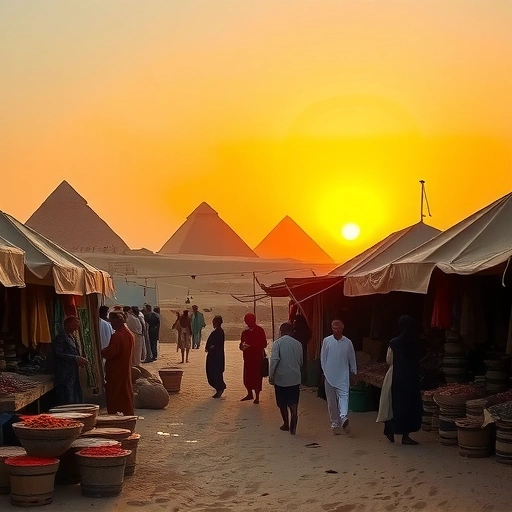
Ready to start making your own anime AI art? This guide will show you how to use Niji 5 and explore its different features and styles.
How to Use Midjourney Niji 5
There are two main ways to access the Niji 5 model:
On Midjourney Discord: Add the parameter `–niji 5` to your prompt. You can also set Niji mode as your default using the `/settings` command.
On Midjourney Discord: Add the parameter `–niji 5` to your prompt. You can also set Niji mode as your default using the `/settings` command.
On Nijijourney Discord: This server has its own bot. Messaging the Nijijourney bot is the same as using the `–niji 5` parameter on the Midjourney bot.
On Nijijourney Discord: This server has its own bot. Messaging the Nijijourney bot is the same as using the `–niji 5` parameter on the Midjourney bot.
Exploring Niji 5 Styles
While the default Niji 5 style works well for most anime art, Niji offers specific styles trained for different looks.
Default Style
This is the standard style when you use `–niji 5`. It gives an emotional and elegant look. It’s a great starting point for many anime designs.
Style Cute (–style cute)
This style focuses on the classic anime aesthetic. It avoids provocative poses and emphasizes a traditional, harmonious feeling.
Key features include:
Adorable faces and eye styles.
Adorable faces and eye styles.
Soft, flat shading for a simple look.
Soft, flat shading for a simple look.
Uses negative space to make the subject stand out.
Uses negative space to make the subject stand out.
Detailed graphics to make the image look more interesting.
Detailed graphics to make the image look more interesting.
Style Expressive (–style expressive)
Expressive style consistently puts the character in the spotlight. It’s good for detailed character models and aims for a more mature, Western anime look.
Features of this style:
More realistic eyes.
More realistic eyes.
Natural looking skin.
Natural looking skin.
Uses 3D graphics for a sense of weight.
Uses 3D graphics for a sense of weight.
High color saturation for a rich, warm look.
High color saturation for a rich, warm look.
Bonus Tip: Use `–style expressive` with “fashion photography” in your prompt for very detailed outfits in AI photos.
Style Scenic (–style scenic)
Scenic style always creates a strong background. The focus is on the interaction between the character and their surroundings. It’s perfect for cinematic images, comic book visuals, postcards, and posters.
This style:
Zooms out to show more of the environment.
Zooms out to show more of the environment.
Integrates characters with backgrounds using strong shapes.
Integrates characters with backgrounds using strong shapes.
Uses a contemporary anime face design.
Uses a contemporary anime face design.
Employs expressive 3D lighting for realistic shadows and light.
Employs expressive 3D lighting for realistic shadows and light.
Includes cute graphic elements for balance.
Includes cute graphic elements for balance.
Comparing the styles, Default is emotional, Scenic focuses on the backdrop using 3D graphics but not the Western look of Expressive, and Cute aims for a fun and lovable result.
Enhancing Your Niji Art
To move beyond generic styles, you can use the `–style` parameter. Play with values between 0 and 1000 (default is 100) to get different variations.
Adding anime styles to your prompts gives your Niji images a unique touch. You can add the name of a style directly to your prompt. Keep in mind that Niji 5 has a strong art direction, so for certain specific anime styles, you might get better results using Niji version 4 (–niji 4) instead.
Consider adding retro eras or specific years to your prompt. For example, “retro anime” or a specific decade like the 80s. Midjourney Niji 4 often handles 80s-style retro anime art particularly well compared to Niji 5.
You can also explore futuristic looks using terms like “translucent clothing” or “cyberpunk”.
Need a streamlined way to manage and generate prompts for different styles and eras? The
Incorporating Manga and Anime Elements
Draw inspiration from the rich world of manga and anime.
Manga Authors (Mangaka): Including names of famous authors can add a distinct style. Think of creators like Akira Toriyama or Kentaro Miura.
Manga Authors (Mangaka): Including names of famous authors can add a distinct style. Think of creators like Akira Toriyama or Kentaro Miura.
Characters: Using names of well-known characters can help guide the style and appearance in your art. AI models often use databases with training data based on popular characters, so referencing character names can yield consistent styles.
Characters: Using names of well-known characters can help guide the style and appearance in your art. AI models often use databases with training data based on popular characters, so referencing character names can yield consistent styles.
Artists: Just like authors, referencing anime or manga artists can influence the visual style of your output.
Artists: Just like authors, referencing anime or manga artists can influence the visual style of your output.
Titles: Mentioning specific anime, manga, or video game titles known for unique art styles can also add a specific flair to your images.
Titles: Mentioning specific anime, manga, or video game titles known for unique art styles can also add a specific flair to your images.
Adding Environments
Environments are key to setting the scene. Adding descriptions of cities, natural settings, or specific locations to your prompts helps shape the character’s world. Environment details are especially effective when combined with the Scenic style, which is trained for detailed backdrops.
You can even combine artist names with environment descriptions for unique results.
Artistic Mediums
Niji allows you to blend anime style with different artistic mediums like oil painting, Japanese woodblock prints, graphic novels, or pastels. Add these terms to your prompt to see unique combinations.
Turning Photos into Anime Art
Want to turn an existing photo into an anime version? Midjourney uses image prompts as inspiration, not a direct copy. Here’s a method:
Upload your photo to Midjourney Discord.
Upload your photo to Midjourney Discord.
Get the image URL.
Get the image URL.
Use the `/describe` command on your photo. This gives you text descriptions.
Use the `/describe` command on your photo. This gives you text descriptions.
Use the image URL as an image prompt at the beginning of your prompt.
Use the image URL as an image prompt at the beginning of your prompt.
Add one of the descriptions from `/describe` to your prompt.
Add one of the descriptions from `/describe` to your prompt.
Include `–niji 5` and other anime style keywords (like “a still from anime”).
Include `–niji 5` and other anime style keywords (like “a still from anime”).
You can also change the subject or scene via the text prompt.
You can also change the subject or scene via the text prompt.
Niji Photo Fusion
This technique combines realistic environments from photography with the anime character style of Niji. Regular blending prompts don’t work well for this.
Here’s a way to try it:
Generate a photorealistic image. Note the Seed number for this image.
Generate a photorealistic image. Note the Seed number for this image.
Start a new prompt using the first image’s URL as an image prompt. Keep the same seed (`–seed [number]`). Replace any photo-specific parameters (`–v 5.1`, `–raw`) with `–niji 5`. Use the same text prompt.
Start a new prompt using the first image’s URL as an image prompt. Keep the same seed (`–seed [number]`). Replace any photo-specific parameters (`–v 5.1`, `–raw`) with `–niji 5`. Use the same text prompt.
Next, add a specific Niji style, often `–style scenic` works well here.
Next, add a specific Niji style, often `–style scenic` works well here.
Revise the original text prompt. Change descriptive terms from photo realism (like camera types) to more artistic terms (like “digital gesture painting of”). Remove any references to cameras or photography.
Revise the original text prompt. Change descriptive terms from photo realism (like camera types) to more artistic terms (like “digital gesture painting of”). Remove any references to cameras or photography.
In a final step, you might refine the text prompt further, changing “digital gesture painting of” to something more specific like “manga or anime image of”.
In a final step, you might refine the text prompt further, changing “digital gesture painting of” to something more specific like “manga or anime image of”.
Experimenting with these steps can help you get a fusion of detailed backgrounds and distinct anime characters.
Using ChatGPT for Prompts
ChatGPT can be a great tool for generating prompt ideas and structuring them.
You can ask ChatGPT things like:
“Give me 10 ideas for a scene with a character in a specific setting.”
“Give me 10 ideas for a scene with a character in a specific setting.”
“Act as an anime director and write short keywords and adjectives for a subject.”
“Act as an anime director and write short keywords and adjectives for a subject.”
“Format these descriptions into a Midjourney prompt and add the –niji 5 parameter.”
“Format these descriptions into a Midjourney prompt and add the –niji 5 parameter.”
ChatGPT can generate many prompt alternatives quickly. If you use ChatGPT Plus with browsing, you can even give it a link to a guide on writing Midjourney prompts and ask it to create prompts directly based on that information.
Managing all these prompts and variations can become complex. The
Creating Consistent Characters for Comics
Making sure a character looks the same across multiple images for a comic or manga is challenging. Here’s a method:
Create a Character Sheet Prompt: Design a prompt that describes your character in detail. Include requests for different poses, expressions, and isolated on a white background. This generates multiple character sheet images you can use as reference.
Create a Character Sheet Prompt: Design a prompt that describes your character in detail. Include requests for different poses, expressions, and isolated on a white background. This generates multiple character sheet images you can use as reference.
Refine with Remix (Optional): For specific expressions or poses, you can use Midjourney’s Remix mode to change parts of an existing character sheet image. Note that this isn’t always reliable for large projects.
Refine with Remix (Optional): For specific expressions or poses, you can use Midjourney’s Remix mode to change parts of an existing character sheet image. Note that this isn’t always reliable for large projects.
Remove Backgrounds: Use free online tools (like PixelBin is mentioned in the subtitles) to remove the white background from your character sheets.
Remove Backgrounds: Use free online tools (like PixelBin is mentioned in the subtitles) to remove the white background from your character sheets.
Generate Backgrounds: Create backgrounds that fit your story’s environment. You can even ask ChatGPT to help write a story and generate environmental prompts based on it.
Generate Backgrounds: Create backgrounds that fit your story’s environment. You can even ask ChatGPT to help write a story and generate environmental prompts based on it.
Combine and Layout: Use editing software (like Photoshop or Canva) to place your character onto the generated backgrounds and create the final comic panels.
Combine and Layout: Use editing software (like Photoshop or Canva) to place your character onto the generated backgrounds and create the final comic panels.
This process helps maintain a level of consistency for your comic book project.
Conclusion
Midjourney Niji 5 is a fantastic tool for creating unique anime and manga art. By understanding its different styles and using the techniques described here, you can make truly incredible images. Experiment with different parameters, styles, and influences from the anime world to develop your own signature look.
Simplifying the process of generating consistent characters, managing prompts, and exploring styles can greatly improve your workflow. Check out the
Do This Locally with Logen
Skip the subscription. Generate images like these on your own GPU — private, unlimited, no cloud dependency.
Midjourney vs Logen
| Feature | Midjourney | Logen |
|---|---|---|
| Cost | $10-60/mo | Free |
| Privacy | Cloud (images stored) | 100% local |
| Generations | Limited by plan | Unlimited |
| Internet Required | Always | No |
| Custom Models | No | Yes (any ComfyUI model) |
| GPU Required | No (cloud) | Yes (local) |
| Ease of Use | Discord bot | Desktop app |