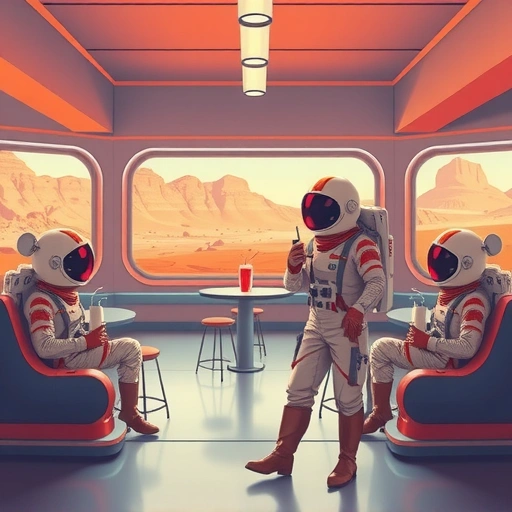
Discovering Blue Willow: Your Free AI Art Generator
Instead of Midjourney, Blue Willow provides a free way to create AI images. You can find the Blue Willow group linked in the description. Join to start making your own AI-generated art.
Finding Inspiration with Playground AI
Playground AI is a great place to discover prompts. Here’s how to use it:
Search for an image idea. For example, type “Elon Musk” to see images others have created.
Search for an image idea. For example, type “Elon Musk” to see images others have created.
Copy prompts from images you like. Playground AI makes the prompts public so you can use them as a starting point.
Copy prompts from images you like. Playground AI makes the prompts public so you can use them as a starting point.
While Playground AI lets you create images directly, the results might vary. It’s most useful for finding prompts.
Ready to take your Midjourney experience to the next level? Explore the
Type “/imagine” followed by your prompt. Paste the prompt you copied from Playground AI, or create your own.
Customize your prompt. Add or change keywords to get the image you want. For example, change characters or add descriptive terms.
Type “/imagine” followed by your prompt. Paste the prompt you copied from Playground AI, or create your own.
Customize your prompt. Add or change keywords to get the image you want. For example, change characters or add descriptive terms.
Customize your prompt. Add or change keywords to get the image you want. For example, change characters or add descriptive terms.
The AI will then generate images based on your prompt. It takes a few seconds, so be patient.
Example: Creating an Iron Man Baby Image
Let’s say you want an image of an Iron Man baby. You can start with a prompt like:
“Iron Man baby, big bumper on the forehead, small heading, Square hybrid face, fantasy dream like scream”
The AI will interpret the prompt and create related images. Results can vary, but that’s part of the fun!
Improving Your Results
Not happy with the first result? Here are a few tips:
Try different prompts. Experiment with different keywords and descriptions.
Try different prompts. Experiment with different keywords and descriptions.
Use variations. If you like one image, ask for variations to see similar options.
Use variations. If you like one image, ask for variations to see similar options.
Copy and modify successful prompts. See what others are creating and adapt their prompts to your ideas.
Copy and modify successful prompts. See what others are creating and adapt their prompts to your ideas.
Looking for ways to streamline your Midjourney projects? Check out the
Final Thoughts
Blue Willow offers a fantastic way to explore AI image generation without spending any money. Use Playground AI for inspiration, then bring your ideas to life on Blue Willow. Keep experimenting, and have fun creating!
Eager to do more with Midjourney? Don’t miss out on the
Do This Locally with Logen
Skip the subscription. Generate images like these on your own GPU — private, unlimited, no cloud dependency.
Midjourney vs Logen
| Feature | Midjourney | Logen |
|---|---|---|
| Cost | $10-60/mo | Free |
| Privacy | Cloud (images stored) | 100% local |
| Generations | Limited by plan | Unlimited |
| Internet Required | Always | No |
| Custom Models | No | Yes (any ComfyUI model) |
| GPU Required | No (cloud) | Yes (local) |
| Ease of Use | Discord bot | Desktop app |