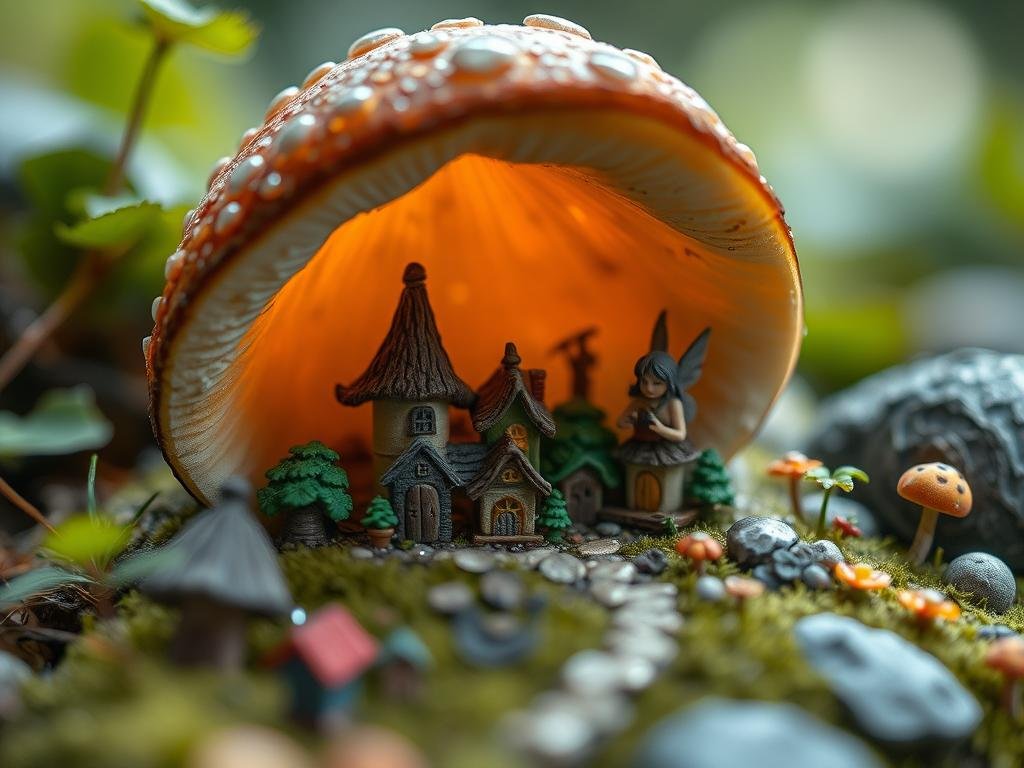
With so many styles available, where do you start? This post explores a diverse collection of art styles you can use with Midjourney, ranging from well-known techniques to more unique aesthetics. We’ll look at what makes each style distinct and how you might use it in your creations.
Why Use Art Styles in Your Prompts?
Think of an art style as providing direction for the AI. Instead of just saying “a cat,” adding a style tells Midjourney *how* that cat should look. Should it be a realistic cat, a playful drawing, a futuristic character, or something else entirely? The style adds the layers of texture, color, composition, and overall feel that define the image.
Using styles helps you:
Get more consistent results for a specific vision.
Get more consistent results for a specific vision.
Explore new creative directions you hadn’t considered.
Explore new creative directions you hadn’t considered.
Achieve a professional or desired look for your projects.
Achieve a professional or desired look for your projects.
Make your images stand out from generic AI art.
Make your images stand out from generic AI art.
How to Include a Style in Your Prompt
Adding a style is simple. You include the desired style term or terms after your subject and any other details you want to specify. A basic prompt structure looks like this:
`[Subject] + [Details] + [Style] + [Ratio]`
For example:
`A curious cat sitting by a window, oil painting, 3:2 ratio`
`A curious cat sitting by a window, oil painting, 3:2 ratio`
`Futuristic city skyline at night, cyberpunk, landscape ratio`
`Futuristic city skyline at night, cyberpunk, landscape ratio`
`Tiny adorable character with big eyes, anime style, 1:1 ratio`
`Tiny adorable character with big eyes, anime style, 1:1 ratio`
Midjourney understands various ratio terms like `square ratio` (or `1:1`), `portrait ratio` (or `tall ratio`, `2:3`), and `landscape ratio` (or `wide ratio`, `3:2`). Always specify the ratio you want, or the AI will choose one for you.
Explore a Variety of Inspiring Art Styles
Here’s a look at just a few of the many art styles you can experiment with in Midjourney:
Distinct Visual Looks
Low Poly: Creates images using simple geometric shapes, often triangles, for a clean, modern, blocky look.
Low Poly: Creates images using simple geometric shapes, often triangles, for a clean, modern, blocky look.
Graffiti: Generates urban-inspired street art with bold letters and vibrant colors, good for expressive text or murals.
Graffiti: Generates urban-inspired street art with bold letters and vibrant colors, good for expressive text or murals.
Calligraphy: Adds the look of fancy, artistic handwriting, useful for decorative text, invitations, or logos.
Calligraphy: Adds the look of fancy, artistic handwriting, useful for decorative text, invitations, or logos.
Etching: Mimics detailed ink drawings created with thin lines, great for illustrations or vintage labels.
Etching: Mimics detailed ink drawings created with thin lines, great for illustrations or vintage labels.
Woodcut Prints: Produces bold black shapes and strong lines like carved wood prints, offering a stark, graphic style.
Woodcut Prints: Produces bold black shapes and strong lines like carved wood prints, offering a stark, graphic style.
Naive Art: Results in playful, simple images similar to children’s drawings, often with direct colors and shapes, suitable for whimsical concepts.
Naive Art: Results in playful, simple images similar to children’s drawings, often with direct colors and shapes, suitable for whimsical concepts.
Art Nouveau: Gives your images elegant designs with flowing lines, natural shapes, and decorative patterns, perfect for romantic or classic looks.
Art Nouveau: Gives your images elegant designs with flowing lines, natural shapes, and decorative patterns, perfect for romantic or classic looks.
Genre and Mood Styles
[LI]Cyberpunk: Generates futuristic scenes with bright neon lights, advanced technology, and often a gritty urban feel.[/LI>
[LI]Steampunk: Creates art with a retro-futuristic look featuring gears, brass, steam power, and Victorian aesthetics.[/LI]
[LI]Loafy Art: Delivers cozy, chill scenes with soft lighting and calm vibes, ideal for relaxing visuals or backgrounds.[/LI>
[LI]Dreamcore: Produces surreal, dreamlike images that combine familiar objects in strange or unsettling ways.[/LI]
[LI]Wabi-sabi: Focuses on finding beauty in imperfection, simplicity, and nature, resulting in calm, minimalist visuals.[/LI]
[/UL]
Drawing and Painting Techniques
[LI]Sumi-E: Generates art using black ink with soft, expressive brush strokes, providing a peaceful, traditional look.[/LI>
[LI]Gouache: Produces images with rich, smooth paint colors that are vibrant and often opaque.[/LI]
[LI]Renaissance Art: Mimics elegant details, soft lighting, and classical beauty seen in Renaissance paintings, great for portraits or historical scenes.[/LI>
[LI]Stained Glass: Creates visuals that look like vibrant colored glass separated by bold leading lines.[/LI>
[/UL]
Modern and Digital Aesthetics
[LI]Y2K Style: Brings back early 2000s vibes with digital aesthetics and often neon colors and chunky shapes.[/LI>
[LI]Anime: Generates characters with large eyes, expressive faces, and often colorful, stylized looks, popular for avatars and illustrations.[/LI]
[LI]Corporate Memphis: Uses simple shapes, bright colors, and minimal detail for a clean, modern, graphic look often seen in business visuals.[/LI]
[LI]Cute Vector SVG: Produces simple, adorable digital art using soft shapes and clean lines.[/LI>
[/UL]
Experimentation is key! Try out these styles and see how they change your subject.
Managing many image generations and prompts can become time-consuming. Tools like the
Combine Styles for Unique Results
Don’t limit yourself to just one style. You can often combine terms (e.g., “cyberpunk cityscape, gouache”) to create unique visual blends. Some styles might be more dominant than others, but mixing lets you experiment with truly original aesthetics.
Use Images to Guide Your Style
If you have a particular image whose style you love but don’t know how to describe, you can often use that image itself to influence your generation in Midjourney. You can upload an image and ask Midjourney to generate something new in that same style. This is a powerful way to achieve your desired look, even if you can’t find the right words.
Starting with a simple image and then making changes based on your preferences is another great way to refine your results. With the right tools, iterating on images becomes much easier. Consider trying the
Find Resources and Keep Creating
The best way to learn is by doing. Pick a few styles that sound interesting and try generating images. See how the AI interprets the style with different subjects. You can find many prompt examples and inspiration online as well.
Exploring different styles makes your Midjourney creations more interesting and allows you to achieve very specific artistic visions. It’s a fundamental skill for advanced AI image generation.
Ready to streamline your Midjourney workflow and experiment with styles faster? Check out the
Conclusion
Adding art styles to your Midjourney prompts opens up a vast world of creative possibilities. From traditional painting techniques to futuristic aesthetics and abstract explorations, each style offers a unique lens through which to view your subject. By understanding and experimenting with styles, you can generate stunning images that perfectly match your vision. Keep exploring, keep prompting, and have fun seeing what incredible art you can create!
Do This Locally with Logen
Skip the subscription. Generate images like these on your own GPU — private, unlimited, no cloud dependency.
Midjourney vs Logen
| Feature | Midjourney | Logen |
|---|---|---|
| Cost | $10-60/mo | Free |
| Privacy | Cloud (images stored) | 100% local |
| Generations | Limited by plan | Unlimited |
| Internet Required | Always | No |
| Custom Models | No | Yes (any ComfyUI model) |
| GPU Required | No (cloud) | Yes (local) |
| Ease of Use | Discord bot | Desktop app |