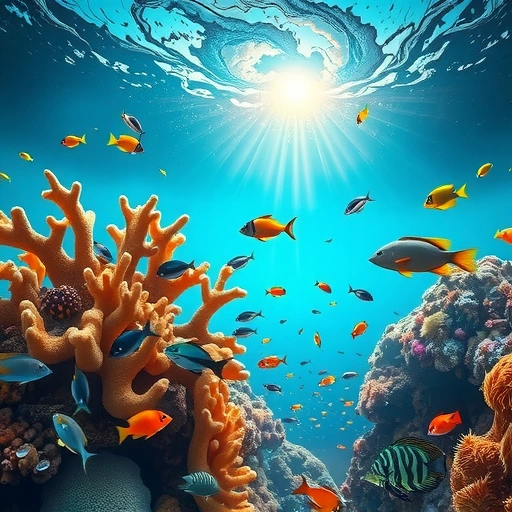
What is Midjourney AI Art?
Midjourney is a service that uses artificial intelligence to make images from text descriptions. You tell it what you want to see, and it creates visual art for you.
Who Can Use Midjourney?
This tool is useful for many people, including:
Graphic designers
Graphic designers
Content creators
Content creators
Anyone interested in AI and art
Anyone interested in AI and art
What Can You Create?
You can make a wide range of visuals, such as:
Digital artwork
Digital artwork
Illustrations
Illustrations
Concept art
Concept art
Logos
Logos
Wallpapers
Wallpapers
Storyboards
Storyboards
Social media pictures
Social media pictures
Midjourney V7 Features
Midjourney V7 comes with updates that improve how it works:
Better image quality
Better image quality
Faster picture creation
Faster picture creation
It understands your text prompts better
It understands your text prompts better
Supports different art styles
Supports different art styles
Allows you to make images bigger (upscale)
Allows you to make images bigger (upscale)
You can mix and change prompts
You can mix and change prompts
Pick different versions of the AI model
Pick different versions of the AI model
Work on projects in public or private
Work on projects in public or private
Join others on the Discord server to create
Join others on the Discord server to create
How to Start Using Midjourney
Here’s a simple way to begin using Midjourney:
[LI]Go to midjourney.com and click “Join the Beta.”[/LI]
[LI]You will go to the Midjourney Discord server. Click “Accept Invite.”[/LI]
[LI]Log in to your Discord account or create one.[/LI]
[LI]Inside the server, find a room for new users, often called `#newbies`.[/LI]
[LI]In the message box, type `/imagine` followed by your prompt. For example: `/imagine A red dragon flying over snowy mountains`. A prompt is the text that tells the AI what to create.[/LI]
Managing lots of prompts and images can get busy. If you’re looking to streamline your workflow, consider checking out the
[LI]Wait briefly. Midjourney will show you four versions of your image.[/LI]
[LI]Below the images, you’ll see buttons. You can choose to make one bigger (U for upscale), try making the same thing again (reroll), or create variations of one image (V for variation).[/LI]
[LI]Once you have an image you like, right-click it and save it to your device.[/LI]
See It In Action: An Example
Let’s say you want an image of “A majestic lion wearing a golden crown, digital painting, ultra realistic, 4K resolution.”
You would type: `/imagine A majestic lion wearing a golden crown, digital painting, ultra realistic, 4K resolution`
Midjourney will then create detailed images based on your description. You can pick the one you like best and upscale it to get a sharper final picture.
Free vs. Paid: What’s the Difference?
Midjourney lets you try it for free at first, but you can only make a limited number of images. After that, you need to subscribe to keep using it.
With a paid plan, you get:
Images are created faster.
Images are created faster.
You can make images privately.
You can make images privately.
More image creation ability.
More image creation ability.
Free users must create images publicly and have fewer features available.
Pros and Cons of Midjourney
Like any program, Midjourney has good points and not-so-good points.
Pros: Creates beautiful images; It’s easy to use through Discord; Gives you lots of ways to be creative with your prompts; It gets updated often.
Pros: Creates beautiful images; It’s easy to use through Discord; Gives you lots of ways to be creative with your prompts; It gets updated often.
Cons: You have to use Discord, there’s no separate program or website interface; The free version is very limited; It takes some practice to write good prompts.
Cons: You have to use Discord, there’s no separate program or website interface; The free version is very limited; It takes some practice to write good prompts.
If writing prompts feels tricky or you want to handle many images, tools exist to make it easier. Discover features designed to simplify your workflow with the
Final Thoughts and Tips
Midjourney is a great way to bring your ideas to life visually. It’s fun and powerful for both beginners and experienced users.
Start with simple descriptions and see what Midjourney creates.
Start with simple descriptions and see what Midjourney creates.
Try out different art styles.
Try out different art styles.
Look at what others in the community are making to get ideas.
Look at what others in the community are making to get ideas.
If you really enjoy using it, getting a paid plan gives you full access to everything.
If you really enjoy using it, getting a paid plan gives you full access to everything.
Tip: Be clear in your prompts. Add details about style, how the light looks, or colors to help Midjourney create exactly what you want.
Tip: Be clear in your prompts. Add details about style, how the light looks, or colors to help Midjourney create exactly what you want.
Ready to take your AI art creation to the next level and manage your projects more easily? Explore the powerful features of the
Do This Locally with Logen
Skip the subscription. Generate images like these on your own GPU — private, unlimited, no cloud dependency.
Midjourney vs Logen
| Feature | Midjourney | Logen |
|---|---|---|
| Cost | $10-60/mo | Free |
| Privacy | Cloud (images stored) | 100% local |
| Generations | Limited by plan | Unlimited |
| Internet Required | Always | No |
| Custom Models | No | Yes (any ComfyUI model) |
| GPU Required | No (cloud) | Yes (local) |
| Ease of Use | Discord bot | Desktop app |