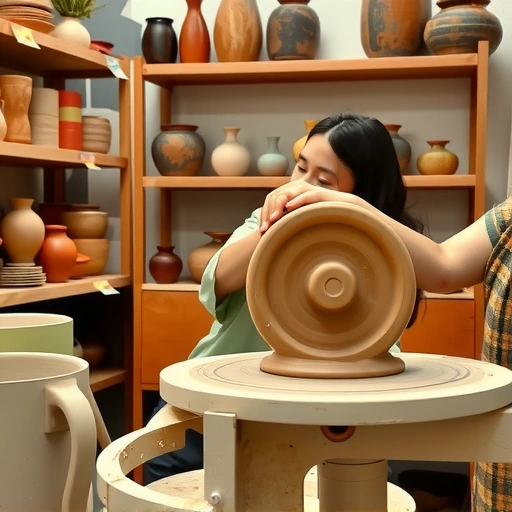
Lens focus sharpens a specific area of your image. Depth of field controls how much of the image is sharp from the front to the back. Using these together lets you choose what stands out and what is less defined in your Midjourney creations.
Shallow Depth of Field
Shallow depth of field means only a small part of the image is sharp. The area in focus might be a person’s face or eyes, while everything behind them or in front of them becomes a soft blur. This technique often creates a sense of closeness or highlights the main subject.
How to Prompt for Shallow Depth
To get a shallow depth effect, you need to tell Midjourney what to focus on and describe the blurry background.
- Start with a description of the subject or scene.
- Mention what specific feature should be in focus (e.g., their eyes, a hand).
- Describe the background and specify it should be a ‘soft blur’ or ‘shallow blur’.
- Add the mood or feeling you want the image to have.
Here is an example based on this idea:
A closeup portrait of a person with focus on their eyes. In the background is a soft blur of an Autumn Forest, highlighting the subject with intimacy.
This prompt directs the AI to keep the eyes sharp and make the forest background blurry, just like in a photograph with shallow depth.
Deep Depth of Field
Deep depth of field keeps everything in the image sharp and in focus, from the very front to the back. This is useful for scenes like landscapes or city views where you want to see details everywhere.
How to Prompt for Deep Depth
For deep depth, the goal is to tell Midjourney to keep everything sharp.
- Describe the scene in detail.
- Emphasize capturing ‘every detail’ or having ‘everything in focus’.
- Use the parameter [–no blur]. This is a useful trick to help achieve this effect.
Here is an example:
A vibrant street scene capturing every detail from the bustling vendors in the foreground to the historic buildings in the background with everything in focus. –no blur
In this case, the prompt asks for sharpness throughout the entire scene, from the street vendors to the buildings far away. The [–no blur] part reinforces this.
Choosing the Right Depth of Field
Deciding between shallow and deep depth depends on your goal. Use shallow depth when you want to isolate a subject and make them the clear focus, giving a portrait or close-up a more intimate feel. Use deep depth when the scene itself is important and you need details visible throughout, like in a large landscape or a busy scene.
Using the right depth of field adds another layer of realism to your Midjourney images. It helps guide the viewer’s eye and creates a sense of realism that you see in photographs.
Ready to take your Midjourney creations further? Exploring different styles and settings is key. The TitanXT to see how it can improve your workflow.
Conclusion
Mastering lens focus and depth of field is a big step towards creating photorealistic images with Midjourney V6. By learning to control what is sharp and what is blurry, you can make your AI-generated art feel more like carefully taken photos. Practice using shallow and deep depth techniques in your prompts. With these methods, your Midjourney images can look much more realistic and polished.
Do This Locally with Logen
Skip the subscription. Generate images like these on your own GPU — private, unlimited, no cloud dependency.
Midjourney vs Logen
| Feature | Midjourney | Logen |
|---|---|---|
| Cost | $10-60/mo | Free & Pro plans |
| Privacy | Cloud (images stored) | 100% local |
| Generations | Limited by plan | Unlimited |
| Internet Required | Always | No |
| Custom Models | No | Yes (any ComfyUI model) |
| GPU Required | No (cloud) | Yes (local) |
| Ease of Use | Discord bot | Desktop app |