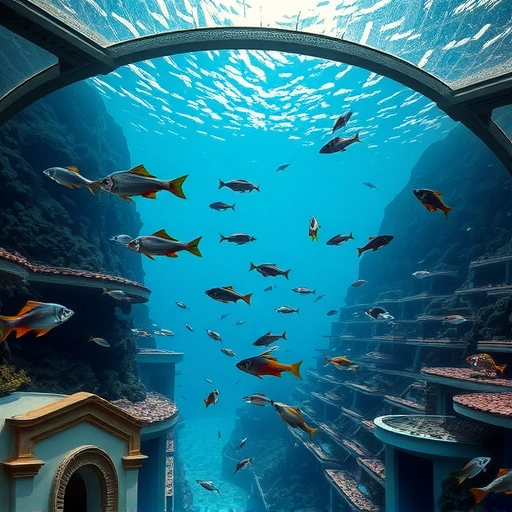
Getting Started with Midjourney Prompts
New to Midjourney? It’s an amazing tool that lets you create images from text. Instead of just typing something like “cool dragon” and hoping for the best, let’s learn how to guide Midjourney to create what you really want. By understanding how Midjourney interprets your prompts, you can unlock its full potential and avoid those blurry potato-like images. Plus, remember to check out the
The Role of Seeds
Think of a seed as the starting point—random visual noise that Midjourney shapes into an image. While you might hear that using the same seed guarantees a copy of an image, that’s not entirely true. Each job is assigned to a random GPU, which means the seed value isn’t consistent long-term. Seeds are most useful for testing prompts quickly.
Prompt Optimization
Midjourney refines the seed until it runs out of processing time. Since there are millions of users, optimizing your prompt is important. Version 7 is efficient, but if you see blending or dropped details, it’s time to refine your approach. For more ways to streamline your Midjourney workflow, take a look at the
Controlling the Canvas: Anchoring Your Details
The Importance of Specificity
If you don’t control something in your prompt, Midjourney will fill in the gaps using its best guess. To avoid this, try to control all parts of the image, a method we call anchoring. This means you should address all the details that matter to you in your prompt. Avoid lazy prompting by putting in the effort to guide Midjourney.
Prompt Structure: Style, Subject, and Background
Think of your prompt as having three key parts:
How should it look? (Style)
How should it look? (Style)
What’s in the image? (Subject)
What’s in the image? (Subject)
Where is it? (Background)
Where is it? (Background)
If you miss one, Midjourney will use a stereotype. For example, if you say “wizard,” you’ll likely get a Gandalf-like figure unless you specify otherwise. A good prompt might be “a flat cartoon depicting an orange sailboat on a teal sea at night.”
Leveraging Compound Subjects
Use compound subjects to add more to your canvas without using extra processing time. Instead of describing multiple ships, use “an armada.” Instead of listing people, use “family.” This is like a cheat code for visual storytelling. For example, instead of saying “a man, a woman, and a child sitting on a red and white checkered blanket in a meadow with a basket of food,” just say “a family picnic.”
Optimizing Your Prompts: Archetypes
Invoking vs. Describing
An archetype is the main version of something in Midjourney’s data. You can either describe something or invoke the archetype and let Midjourney fill in the details. For instance, instead of listing details of a lumberjack, use the word “lumberjack” to let Midjourney handle the typical details. But, if you wish to break the archetype, you’d want to describe what is in the photo instead of using the term “lumberjack”.
Breaking Archetypes
Sometimes, you need to avoid archetypes to get a specific result. For example, if you want a woman in a cafe without coffee, you’ll need to describe the scene without using the word “cafe.” This gives you greater control over the final image. Speaking of control, have you tried the
Conversational instructions (unless in conversational mode)
Conversational instructions (unless in conversational mode)
Jargon
Jargon
Abstract concepts
Abstract concepts
Instead, use concrete, visual language. Instead of “a sorrowful night longing for home,” try “a solitary knight wearing battered armor standing on a foggy battlefield in the dawn light.”
Photography Terms: Use with Caution
Technical photography terms might not work as expected because Midjourney isn’t simulating a camera. Instead, use iconic photographic aesthetics like “Polaroid” or names of famous photographers like Ansel Adams to stylize your images effectively. Experiment with sourcing from well-known media like National Geographic or Vogue for strong visual tokens.
Final Tips for Prompting Success
Remove conversational language from standard prompts.
Remove conversational language from standard prompts.
Use real sentences with correct punctuation and grammar.
Use real sentences with correct punctuation and grammar.
Employ dense, visual language.
Employ dense, visual language.
By following these guidelines, you can troubleshoot your prompts effectively and create the images you envision. Happy prompting!
Ready to Take Your Midjourney Skills to the Next Level?
By mastering these techniques, you’re well on your way to becoming a Midjourney pro. Remember, the key is to experiment, refine, and always look for ways to improve your prompts. And don’t forget to check out the
Do This Locally with Logen
Skip the subscription. Generate images like these on your own GPU — private, unlimited, no cloud dependency.
Midjourney vs Logen
| Feature | Midjourney | Logen |
|---|---|---|
| Cost | $10-60/mo | Free |
| Privacy | Cloud (images stored) | 100% local |
| Generations | Limited by plan | Unlimited |
| Internet Required | Always | No |
| Custom Models | No | Yes (any ComfyUI model) |
| GPU Required | No (cloud) | Yes (local) |
| Ease of Use | Discord bot | Desktop app |