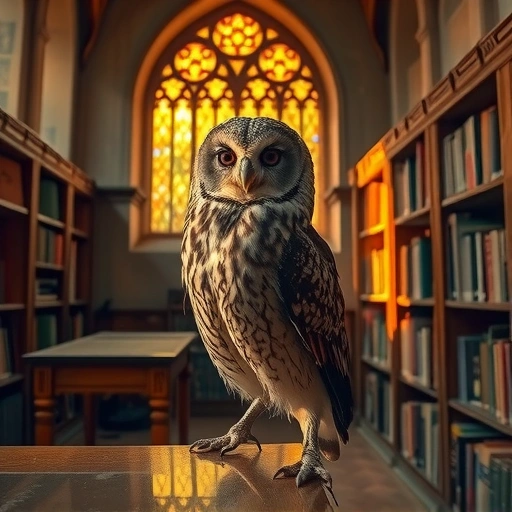
Getting Started with Google Imagen 3 for Free
To start using Imagen 3, you’ll need to access Google Labs. Here’s how:
Find the official Imagen FX link.
Find the official Imagen FX link.
This platform is powered by Imagen 3, Google’s newest image model.
This platform is powered by Imagen 3, Google’s newest image model.
Alternatively, you can use Gemini to create images, though it only generates one image at a time.
Alternatively, you can use Gemini to create images, though it only generates one image at a time.
Google Labs allows you to generate four images simultaneously, making it a more efficient choice.
Google Labs allows you to generate four images simultaneously, making it a more efficient choice.
Creating Images with Imagen 3
Creating images is easy:
Enter your prompt into the provided field.
Enter your prompt into the provided field.
Start generating your own images based on the prompt.
Start generating your own images based on the prompt.
Imagen 3 supports various aspect ratios, giving you flexibility in your creations. Try different styles to see which ones you like.
Imagen 3 supports various aspect ratios, giving you flexibility in your creations. Try different styles to see which ones you like.
Exploring Imagen 3’s Capabilities
Imagen 3 excels at accurately interpreting prompts. For example, if you ask it to place white AirPods on a girl’s ear, it does so effectively. It also handles various art styles well, including photorealistic, anime, and 3D text generation. It’s a versatile tool for many different projects.
Image Editing Feature
A new editing feature is now available. This allows you to modify existing images easily:
Click the “Edit Image” button.
Click the “Edit Image” button.
Use the brush tool to highlight the area you want to change.
Use the brush tool to highlight the area you want to change.
Enter a prompt to specify the desired modification.
Enter a prompt to specify the desired modification.
For example, you can remove logos or other unwanted elements from an image with a simple prompt. Imagen 3 gives you the flexibility you need to make effective edits.
Enhancing Image Quality
While Imagen 3 produces high-quality images, the resolution is around 1080p. If you need higher resolution, consider using an AI photo enhancer. Tools like HitPaw Photo AI can upscale images to 4K or even 8K while preserving detail. This can significantly improve the final output, especially for professional use.
AI photo enhancers can upscale images to 4K or 8K.
AI photo enhancers can upscale images to 4K or 8K.
Details are well-kept and greatly improved.
Details are well-kept and greatly improved.
Batch upscaling is available for processing multiple images at once.
Batch upscaling is available for processing multiple images at once.
Imagen 3 vs. Midjourney: A Quick Comparison
How does Imagen 3 stack up against Midjourney? It’s important to compare their performance side-by-side to see the strengths of each. Both are powerful tools, but they have different characteristics. Ultimately, the choice depends on your specific needs and preferences.
Enhance your Midjourney experience with the
Final Thoughts
Imagen 3 is a powerful and accessible tool for AI image generation. Its free availability makes it an excellent option for beginners and experienced users alike. Whether you’re creating images for fun or professional purposes, Imagen 3 offers a range of features to meet your needs. Explore its capabilities, experiment with different prompts, and see what you can create.
Ready to take your AI image generation to the next level? Check out the
Do This Locally with Logen
Skip the subscription. Generate images like these on your own GPU — private, unlimited, no cloud dependency.
Midjourney vs Logen
| Feature | Midjourney | Logen |
|---|---|---|
| Cost | $10-60/mo | Free |
| Privacy | Cloud (images stored) | 100% local |
| Generations | Limited by plan | Unlimited |
| Internet Required | Always | No |
| Custom Models | No | Yes (any ComfyUI model) |
| GPU Required | No (cloud) | Yes (local) |
| Ease of Use | Discord bot | Desktop app |