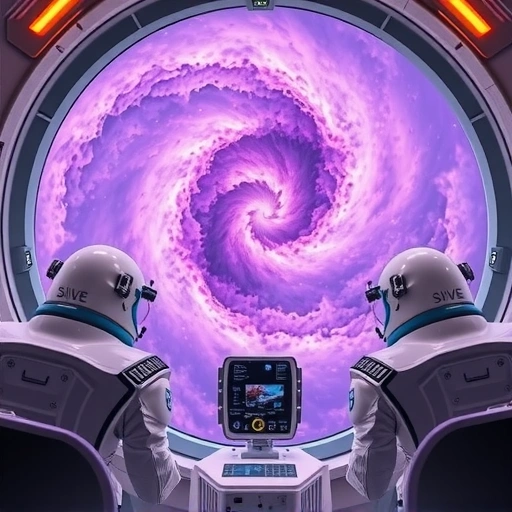
Amazing Web Design Ideas from AI
We asked an AI tool to create some web design mockups. The results were interesting, showing how quickly AI can turn an idea into a visual concept. We tried several different themes.
Sci-Fi and Fantasy Themes
First, we requested a landing page for “The Mandalorian.” With just a little information in the prompt, the AI created a few designs. They looked pretty wild, capturing the feel of the show.
Next, we tried a Batman-themed website focusing on a dark city, rain, and background elements. The AI delivered impressive results, especially with the lighting, contrast, and rain effects. It really set the mood.
Apps and Businesses
We also explored designs for a cryptocurrency web app. These designs were quite different from the previous ones. Each had its own unique style, incorporating gradients and sometimes focusing on a person or the coin itself.
We also asked the AI for a fitness app design and a landing page for Guardians of the Galaxy. The fitness app design was successful. However, the Guardians of the Galaxy design didn’t quite work out. This happened because the keywords in the prompt weren’t specific enough, and the AI generated characters we didn’t intend. This shows how important your input prompt is.
Finally, we created a mock-up for a luxury fashion and suit company. The AI produced designs that we really liked for this theme.
Using AI for these mockups shows the potential for quick concept generation. While it’s great for initial ideas, managing and generating many variations can become time-consuming manually. Tools like the
How You Can Generate Designs
You don’t need to know coding to do this. The main tool used here was Midjourney. Here’s a basic way to start:
Go to the Midjourney website.
Go to the Midjourney website.
Join their Discord server. This is where you interact with the AI.
Join their Discord server. This is where you interact with the AI.
In one of the designated channels, use the `/imagine` command followed by your prompt describing the design you want to see.
In one of the designated channels, use the `/imagine` command followed by your prompt describing the design you want to see.
Writing good prompts is key to getting the results you want. The more descriptive you are, the better the AI can understand your vision.
Limitations of Using AI for Design
While AI helps create designs fast, it’s important to understand what it can’t do as well as a human designer:
Creativity: AI generates ideas based on patterns it learned from data. It might not have the same creative spark or true originality that a human designer brings.
Creativity: AI generates ideas based on patterns it learned from data. It might not have the same creative spark or true originality that a human designer brings.
Data Reliance: AI needs data to learn. If you ask it for something very new or specific that isn’t well-represented in its training data, it might struggle.
Data Reliance: AI needs data to learn. If you ask it for something very new or specific that isn’t well-represented in its training data, it might struggle.
Limited Scope: AI might not fully handle tasks that need complex thinking about a specific audience’s needs or subtle design choices. Adapting a design for a very particular user group might be difficult for the AI alone.
Limited Scope: AI might not fully handle tasks that need complex thinking about a specific audience’s needs or subtle design choices. Adapting a design for a very particular user group might be difficult for the AI alone.
Even with these limitations, AI is a powerful tool for helping with the design process.
AI as Inspiration for Web Design
The main takeaway is that AI is a helpful and exciting tool for web design inspiration. It can quickly generate ideas for:
Overall design concepts
Overall design concepts
Layout ideas
Layout ideas
Color combinations
Color combinations
Specific visual elements
Specific visual elements
You can use AI to visualize different possibilities and get your ideas off the ground faster. Think of it as a co-pilot for your design journey. Using AI for brainstorming can speed up the initial stages significantly. If you’re working with many AI images, try the
AI won’t replace human creativity, but it’s a fantastic resource to kickstart your projects and explore visual directions you might not have thought of otherwise.
Ready to explore AI for your design ideas? Give Midjourney a try and see what you can create. For managing larger projects or automating tasks with Midjourney, consider the
Do This Locally with Logen
Skip the subscription. Generate images like these on your own GPU — private, unlimited, no cloud dependency.
Midjourney vs Logen
| Feature | Midjourney | Logen |
|---|---|---|
| Cost | $10-60/mo | Free |
| Privacy | Cloud (images stored) | 100% local |
| Generations | Limited by plan | Unlimited |
| Internet Required | Always | No |
| Custom Models | No | Yes (any ComfyUI model) |
| GPU Required | No (cloud) | Yes (local) |
| Ease of Use | Discord bot | Desktop app |