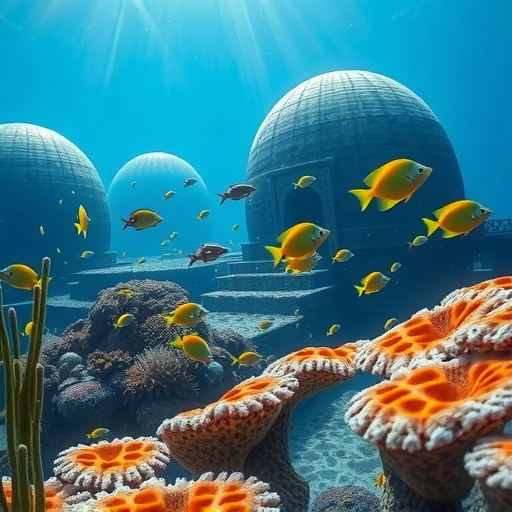
Getting Started with Midjourney
The easiest way to access Midjourney is through Discord, a popular communication platform for communities. Here’s how to get set up:
Install Discord
If you don’t already have Discord, visit discord.com and download the application. It’s free to use and available for various devices.
Join the Midjourney Server
Once you have Discord installed, join the Midjourney server by clicking this invite link: discord.gg/midjourney. This will give you access to the Midjourney community and the AI art generation tools.
Generating Your First AI Artwork
Now that you’re in the Midjourney Discord server, you can start creating art! Here’s how:
Access a Newbie Channel
Navigate to one of the “newbie” channels in the Midjourney server. These channels are designed for beginners to experiment and learn.
Use the /imagine Command
In the chat box, type “/imagine” followed by a description of the artwork you want to generate. This description is called a “prompt.” For example, you could type “/imagine a futuristic cityscape with neon lights.”
Add Keywords and Instructions
To refine your results, add specific keywords and instructions to your prompt. For example, if you want a realistic and detailed image, you can include terms like “photorealistic” or “highly detailed.”
Here’s a tip: To ensure you’re using the latest and most capable version of Midjourney, specify the version number in your prompt. For example, add “–v 4” to use version 4. You can also specify the aspect ratio using “–ar” followed by the desired ratio, such as “2:3,” “1:1,” or “3:2.”
Understanding the Results
After submitting your prompt, Midjourney will generate a set of images based on your description. You’ll see a grid of four images, each with different variations.
Upscaling and Variations
Below the images, you’ll see several buttons labeled “U1,” “U2,” “U3,” “U4,” “V1,” “V2,” “V3,” and “V4.” The “U” buttons stand for “upscale.” If you like a particular image, click the corresponding “U” button to upscale it to a higher resolution. The “V” buttons stand for “variations.” If you like the overall style of an image but want to see more options, click the corresponding “V” button to generate additional variations.titanxt.io/midjourneyautomator” rel=”noopener”>TitanXT to streamline your workflow and unlock even more possibilities!
Free vs. Paid Plans
Midjourney offers a free trial that allows you to generate a limited number of images (around 25). After that, you’ll need to subscribe to a paid plan to continue creating. Paid plans start at $10 per month and offer various benefits, such as the ability to generate more images and create them privately.
Accessing Your Full-Resolution Art
To download the full-resolution version of your upscaled image, react to the message containing the image with an email emoji. The Midjourney bot will then send you the image directly via direct message.
Tips for Better Prompts
Be specific: The more detailed your prompt, the better the results.
Be specific: The more detailed your prompt, the better the results.
Use descriptive language: Instead of saying “a house,” try “a cozy cottage with a thatched roof and flower garden.”
Use descriptive language: Instead of saying “a house,” try “a cozy cottage with a thatched roof and flower garden.”
Experiment with different styles: Try adding keywords like “Impressionistic,” “cyberpunk,” or “fantasy” to explore different artistic styles.
Experiment with different styles: Try adding keywords like “Impressionistic,” “cyberpunk,” or “fantasy” to explore different artistic styles.
Incorporate colors and emotions: Use color names and words that evoke emotions to guide the AI’s creative process.
Incorporate colors and emotions: Use color names and words that evoke emotions to guide the AI’s creative process.
Want to save time and effort while still crafting incredible Midjourney art? Explore the automation tools available at TitanXT and revolutionize your creative process!
Conclusion
With Midjourney, anyone can create stunning AI art. By following these simple steps and experimenting with different prompts, you’ll be amazed at the beautiful and unique artwork you can generate.Visit https://www.titanxt.io/midjourneyautomator today and see the amazing possibilities!
Do This Locally with Logen
Skip the subscription. Generate images like these on your own GPU — private, unlimited, no cloud dependency.
Midjourney vs Logen
| Feature | Midjourney | Logen |
|---|---|---|
| Cost | $10-60/mo | Free |
| Privacy | Cloud (images stored) | 100% local |
| Generations | Limited by plan | Unlimited |
| Internet Required | Always | No |
| Custom Models | No | Yes (any ComfyUI model) |
| GPU Required | No (cloud) | Yes (local) |
| Ease of Use | Discord bot | Desktop app |