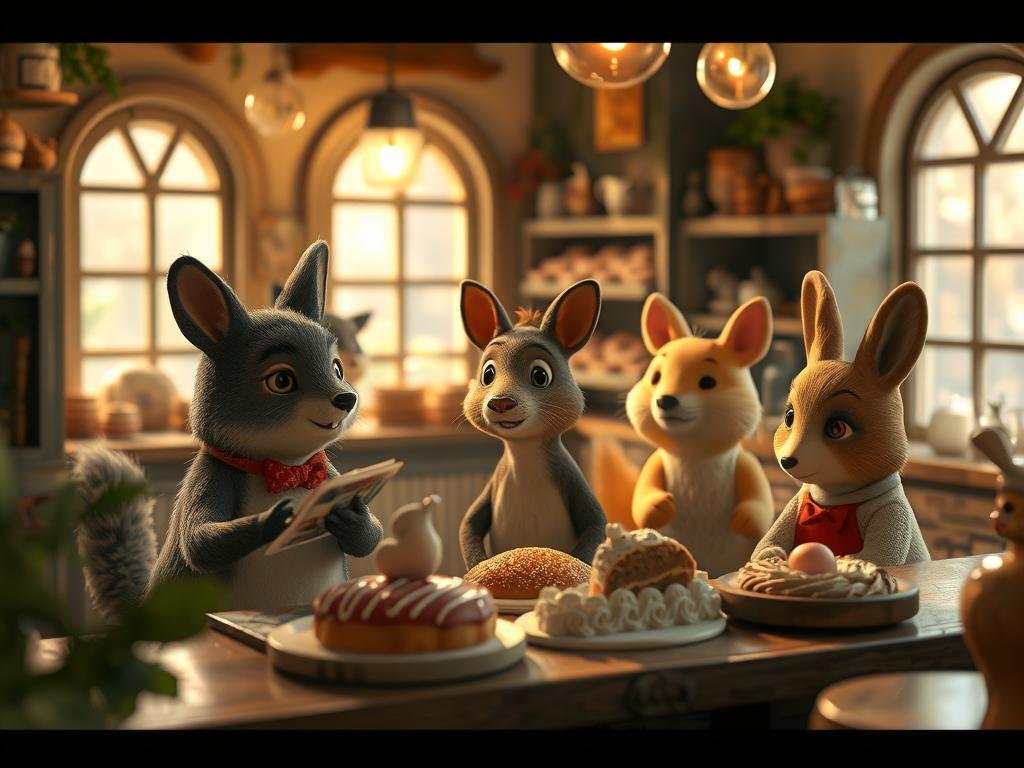
Getting Started with Midjourney AI Video
Using Midjourney’s new video tool is easy if you are already familiar with the platform. Simply log in to Midjourney and go to the “Explore” tab or click on your “Imagine” bar. You can add an image as a reference or go directly to the settings to fine-tune your video.
Here are some key settings you can adjust:
Aspect Ratio: Choose from landscape, square, or portrait. For cinematic videos, 16:9 landscape is often best.
Aspect Ratio: Choose from landscape, square, or portrait. For cinematic videos, 16:9 landscape is often best.
Model: Select “Standard” or “Raw.” Using the latest model version, like v7, gives you access to the newest features.
Model: Select “Standard” or “Raw.” Using the latest model version, like v7, gives you access to the newest features.
Speed: Opt for “Draft” mode for very fast image creation, “Standard” for more detailed outputs, or “Turbo” for urgent projects that need quick results.
Speed: Opt for “Draft” mode for very fast image creation, “Standard” for more detailed outputs, or “Turbo” for urgent projects that need quick results.
Aesthetics: Adjust how stylized or “weird” your video appears, or vary the outcome.
Aesthetics: Adjust how stylized or “weird” your video appears, or vary the outcome.
Consider enhancing your Midjourney workflow with
Creating Your First AI Video with Midjourney
Let’s try a prompt: “a 1980s robot who was playing basketball on a culdesac with human friends. 1980s film stock is Kodak Porta 800.”
From Image to Motion
Midjourney quickly creates several image options from your prompt. Once you pick an image you like, click “Enhance” to take it out of draft mode for a more cinematic look. It is a good idea to “Upscale” your image for the highest quality video output.
Animating Your Image
After upscaling, you will see options to animate the image:
Auto Mode: Choose “Low motion” to create a video from your image with subtle movement, or “High motion” for a more dynamic video.
Auto Mode: Choose “Low motion” to create a video from your image with subtle movement, or “High motion” for a more dynamic video.
Manual Mode: This option lets you add a specific prompt to guide the video’s action, while still using low or high motion settings. For our robot, we could add “the robot kicks the ball offscreen.”
Manual Mode: This option lets you add a specific prompt to guide the video’s action, while still using low or high motion settings. For our robot, we could add “the robot kicks the ball offscreen.”
Midjourney’s Video Outputs: Real-World Tests
The Basketball Robot in Action
The robot basketball videos showed clear dribbling and player interaction in low motion, while high motion brought more energy to the scene. Midjourney did a good job making background characters look consistent, which is a common challenge for many AI models.
The Hand Interaction Test
One common challenge for AI video models is making realistic hand movements. Midjourney did well in a test where a hand turned over to show its palm. The fingers stayed consistent, and the lighting changed naturally with the hand’s movement. This shows real progress in AI video realism.
How Midjourney Measures Up Against Other AI Video Tools
We compared Midjourney to other well-known AI video tools like Flow, Runway, Miniax Hilu, and Cling across several different video scenarios. Each model has its strengths.
Hand Movement: Midjourney performed well, keeping coherence and lighting. Other tools had varied results, with some showing more dynamic action while others struggled with consistency.
Hand Movement: Midjourney performed well, keeping coherence and lighting. Other tools had varied results, with some showing more dynamic action while others struggled with consistency.
Man into Frog Portal: Midjourney managed the complex request of a man jumping through a portal and becoming a frog, all while keeping the animation style. While not perfect, it created a compelling sequence. Some competitors struggled with image consistency or changed the prompt’s meaning.
Man into Frog Portal: Midjourney managed the complex request of a man jumping through a portal and becoming a frog, all while keeping the animation style. While not perfect, it created a compelling sequence. Some competitors struggled with image consistency or changed the prompt’s meaning.
Kids on Bikes in a Neighborhood: Midjourney produced a “Steven Spielberg” style shot with realistic bike movement, consistent style, and good camera focus effects. Other models also produced strong results, showing natural movement and character interaction.
Kids on Bikes in a Neighborhood: Midjourney produced a “Steven Spielberg” style shot with realistic bike movement, consistent style, and good camera focus effects. Other models also produced strong results, showing natural movement and character interaction.
Woman Smelling a Flower (Anime): Midjourney kept the scene consistent with a lot of motion. While the specific “smell” action was better in some competitors, Midjourney’s overall scene stability was noticeable.
Woman Smelling a Flower (Anime): Midjourney kept the scene consistent with a lot of motion. While the specific “smell” action was better in some competitors, Midjourney’s overall scene stability was noticeable.
Overall, Midjourney consistently produced high-quality, coherent worlds. While other tools excelled in specific areas, Midjourney’s ability to create consistent environments is a strong feature. For those looking to streamline their creative process,
Understanding Midjourney Video Costs
Midjourney’s video generation is surprisingly affordable compared to other options available today. Here’s a quick breakdown:
A video job costs about eight times more than an image job. Each video job makes four 5-second videos. This means video costs are about the same as one image per second of video.
A video job costs about eight times more than an image job. Each video job makes four 5-second videos. This means video costs are about the same as one image per second of video.
This pricing makes Midjourney video over 25 times cheaper than what the market had before.
This pricing makes Midjourney video over 25 times cheaper than what the market had before.
Your existing Midjourney subscription covers video creation. It uses “fast hours” from your plan. Pro subscribers may have a “video relax mode” which lets you create videos without using up fast hours.
Your existing Midjourney subscription covers video creation. It uses “fast hours” from your plan. Pro subscribers may have a “video relax mode” which lets you create videos without using up fast hours.
To maximize your efficiency and manage your usage, explore the features of
Final Thoughts on Midjourney’s AI Video
Midjourney has launched a very impressive video model. It excels at maintaining consistent worlds, character consistency, and realistic motion, including camera movements and character actions. For a first version, it sets a high standard.
While it may not completely replace other specialized AI video tools, Midjourney’s ability to build detailed and stable worlds is a big step towards integrated ‘world models’ in AI creativity. Each tool serves a purpose, and Midjourney’s addition is valuable.
Join the Conversation
What have your experiences been with Midjourney Video? Share your thoughts and outputs in the comments below.
Whether you are new to Midjourney or a seasoned pro, you can get a free Midjourney style guide by clicking the link in the description to help enhance your creative journey.
Do This Locally with Logen
Skip the subscription. Generate images like these on your own GPU — private, unlimited, no cloud dependency.
Midjourney vs Logen
| Feature | Midjourney | Logen |
|---|---|---|
| Cost | $10-60/mo | Free |
| Privacy | Cloud (images stored) | 100% local |
| Generations | Limited by plan | Unlimited |
| Internet Required | Always | No |
| Custom Models | No | Yes (any ComfyUI model) |
| GPU Required | No (cloud) | Yes (local) |
| Ease of Use | Discord bot | Desktop app |