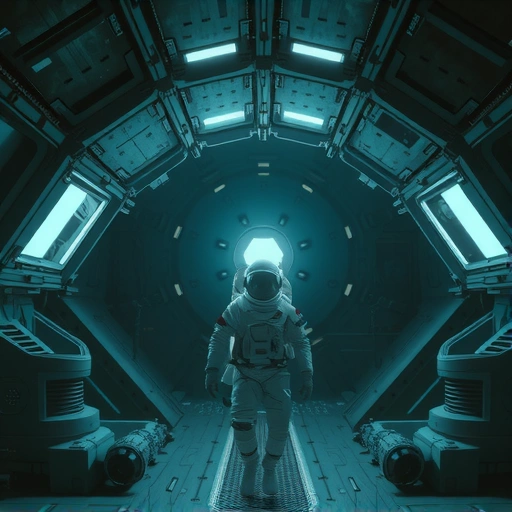
Creating Space Art with Midjourney
Midjourney is great for generating images based on text prompts. You can describe galaxies, nebulae, stars, and spacecraft. The AI interprets your words to create stunning visuals. Think about the mood, colors, and style you want. Do you want a realistic photo of a planet or a dreamlike image of a cosmic cloud? Midjourney can help you achieve many different looks.
Tips for Better Space Scenes
- Be specific in your prompt. Detail the type of celestial body, lighting, and perspective.
- Use descriptive words for colors and atmosphere. Say “deep violet nebulas” instead of just “space color.”
- Experiment with different aspect ratios to capture wide cosmic vistas or detailed close-ups.
- Consider adding elements like spaceships, astronauts, or futuristic structures to add a story.
Generating many variations can help you find the perfect image. Keep refining your prompt based on the results you get.
The AI Vision of Space
When you use AI to create space art, you’re seeing space through a unique lens. The AI has been trained on countless images, and it combines elements in new ways. This can lead to surprising and inspiring results that you might not have imagined on your own. It’s a collaboration between your idea and the AI’s digital interpretation of the cosmos.
Future of AI and Space Art
As AI models improve, the details and realism they can achieve will get better. We might see AI tools used more often by artists, scientists, and educators to visualize space concepts. It makes complex ideas visually understandable for many people.
Conclusion
Midjourney provides a powerful way to explore and visualize the stellar frontier. By crafting clear prompts and experimenting, you can create stunning AI art that showcases the beauty and mystery of space. The AI’s vision helps us see the universe in new and exciting ways.
Do This Locally with Logen
Skip the subscription. Generate images like these on your own GPU — private, unlimited, no cloud dependency.
Midjourney vs Logen
| Feature | Midjourney | Logen |
|---|---|---|
| Cost | $10-60/mo | Free & Pro plans |
| Privacy | Cloud (images stored) | 100% local |
| Generations | Limited by plan | Unlimited |
| Internet Required | Always | No |
| Custom Models | No | Yes (any ComfyUI model) |
| GPU Required | No (cloud) | Yes (local) |
| Ease of Use | Discord bot | Desktop app |