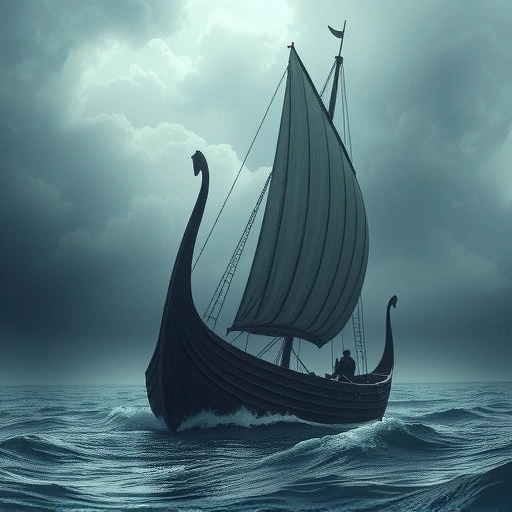
Major Improvements in Midjourney V7
Midjourney V7 introduces several key features that stand out. These changes make generating high-quality images faster and simpler than before.
Incredibly Realistic Images
One of the biggest changes in V7 is how real the pictures look. AI art used to have problems with details like hands or lighting. V7 makes these things much better. You can see fine details in skin and get lighting that looks like it was done by a pro photographer. This new level of realism means AI images can now look very much like actual photos.
Putting Text in Your Art
Adding text to AI-generated images was hard before. Often, the text was just random letters. Midjourney V7 can now create readable text within images. This helps if you need images for book covers with titles, posters, or signs. You have better control over what the text says.
Better Understanding of Art Styles
Midjourney V7 is much better at capturing specific art styles. If you want an image that looks like it was made by a certain artist or follows a particular visual theme, V7 handles it well. It can create images that consistently match a style, making it easier to build collections or series of images that look like they belong together.
Simpler Prompts
You no longer need very long, detailed descriptions to get the image you want. Midjourney V7 understands natural language better. You can use simpler sentences and still get accurate results. This makes the creative process much easier for everyone.
Faster Image Creation
Midjourney V7 is also faster at generating images. The time it takes to create different versions and refine your image is reduced. This allows for quicker experiments and lets you see your ideas come to life faster. Working with V7 means less waiting and more creating.
What This Means for Creators
Midjourney V7 makes high-quality AI image generation more available and more capable. The improved realism, text handling, style control, simpler prompts, and faster speed open up new possibilities for artists, designers, and anyone creating visuals. It’s a powerful update that shows the quick progress happening in AI art.
Get Started with V7
Do This Locally with Logen
Skip the subscription. Generate images like these on your own GPU — private, unlimited, no cloud dependency.
Midjourney vs Logen
| Feature | Midjourney | Logen |
|---|---|---|
| Cost | $10-60/mo | Free & Pro plans |
| Privacy | Cloud (images stored) | 100% local |
| Generations | Limited by plan | Unlimited |
| Internet Required | Always | No |
| Custom Models | No | Yes (any ComfyUI model) |
| GPU Required | No (cloud) | Yes (local) |
| Ease of Use | Discord bot | Desktop app |