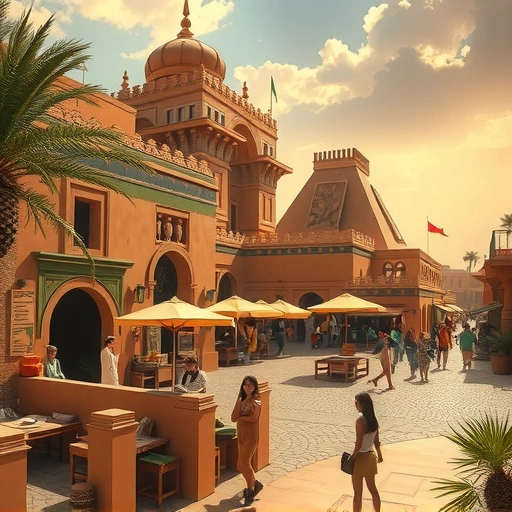
Tip #1: Focus on the Positive
Instead of telling Midjourney what you *don’t* want, tell it what you *do* want. For example, instead of “a farm with no dogs,” try “a farm with cows, pigs, and chickens.” This helps Midjourney focus on the elements you desire, rather than getting caught up in negative constraints.
Tip #2: Prioritize Your Keywords
Midjourney pays attention to the order of your words. Put the most important words at the beginning of your prompt. For instance, “a massive evil bull on a nice farm” will emphasize the bull, while “a nice farm with a massive evil bull” will prioritize the farm. Think about the main focus of your artwork and put those words first. It is as simple as that!
Tip #3: Define Color and Lighting
Take control of your image’s mood and atmosphere by specifying colors and lighting. Use terms like “pastel colors,” “neon colors,” “sepia colors,” “low contrast,” “high contrast,” “dark low lighting,” “sunny lighting,” or “golden hour lighting.” Experiment with different combinations to achieve the desired effect.
Tip #4: Leverage Word Weight and Multi-Prompts
Midjourney allows you to assign weights to different words in your prompt, influencing their importance in the final image. Here’s how:
Word Weight: Add two colons after a word, followed by a number. The default weight is 1. Higher numbers increase the word’s priority. For example, “bull::3 farm::1” will emphasize the bull more than the farm.
Word Weight: Add two colons after a word, followed by a number. The default weight is 1. Higher numbers increase the word’s priority. For example, “bull::3 farm::1” will emphasize the bull more than the farm.
Multi-Prompts: Separate different concepts with two colons to tell Midjourney to consider them as separate elements. For example, “outside hot:: dog” will create an image of a dog, with the words ‘outside’ and ‘hot’ in the description, and not a hot dog.
Multi-Prompts: Separate different concepts with two colons to tell Midjourney to consider them as separate elements. For example, “outside hot:: dog” will create an image of a dog, with the words ‘outside’ and ‘hot’ in the description, and not a hot dog.
Enhance your Midjourney experience with the
Tip #5: Study Art and Photography
Expanding your knowledge of art and photography will improve your ability to describe what you want to see. Learning about different styles, techniques, and visual elements will give you a richer vocabulary for prompt engineering.
Level Up Your Midjourney Experience
Ready to take your Midjourney creations to the next level? With the
Summary
By using positive language, prioritizing keywords, defining color and lighting, leveraging word weight and multi-prompts, and expanding your art knowledge, you can unlock the full potential of Midjourney and create truly amazing AI art. Try these tips today and watch your visions come to life!
Do This Locally with Logen
Skip the subscription. Generate images like these on your own GPU — private, unlimited, no cloud dependency.
Midjourney vs Logen
| Feature | Midjourney | Logen |
|---|---|---|
| Cost | $10-60/mo | Free |
| Privacy | Cloud (images stored) | 100% local |
| Generations | Limited by plan | Unlimited |
| Internet Required | Always | No |
| Custom Models | No | Yes (any ComfyUI model) |
| GPU Required | No (cloud) | Yes (local) |
| Ease of Use | Discord bot | Desktop app |